Write OKRs on an Objectives page with Claude
Use the In Parallel MCP connector in Claude to write and review an Objectives page with clear OKRs and measurement definitions.
Ask Claude to turn your Workspace brief into an Objectives page with clear outcomes, measurable key results, and agreed review dates.
Before you start
Connect Claude to In Parallel and identify the Workspace where the goals belong. If you are starting from scratch, create the Workspace first.
1. Ask for measurable outcomes
Give Claude the Workspace, time period, and desired outcome. Ask it to read Context and any existing Objectives page before proposing changes:
Read Context and the existing Objectives page in Winter Launch Readiness. Propose two OKRs for our fictional winter collection launch, from 19 October to 30 November 2026. Separate outcomes from tasks. For each key result, suggest a title, target, unit, deadline, and definition of how we will measure it. Show me the proposed page content before saving it.
2. Review targets and definitions
Check that every measure has a clear unit and deadline. Specify whether success means reaching at least the target or staying below a limit.
For example, an objective to Launch on time and in full might include:
| Key result | Target | Deadline | Measurement |
|---|---|---|---|
| Publish complete launch product pages | 120 SKUs | 11 November 2026 | Count launch SKUs live online with the required content |
| Maintain availability on priority products | At least 95% | 30 November 2026 | Define the priority SKU list, store coverage, and observation period |
| Pass launch readiness review | 6 criteria | 11 November 2026 | Count agreed go/no-go criteria that pass review |
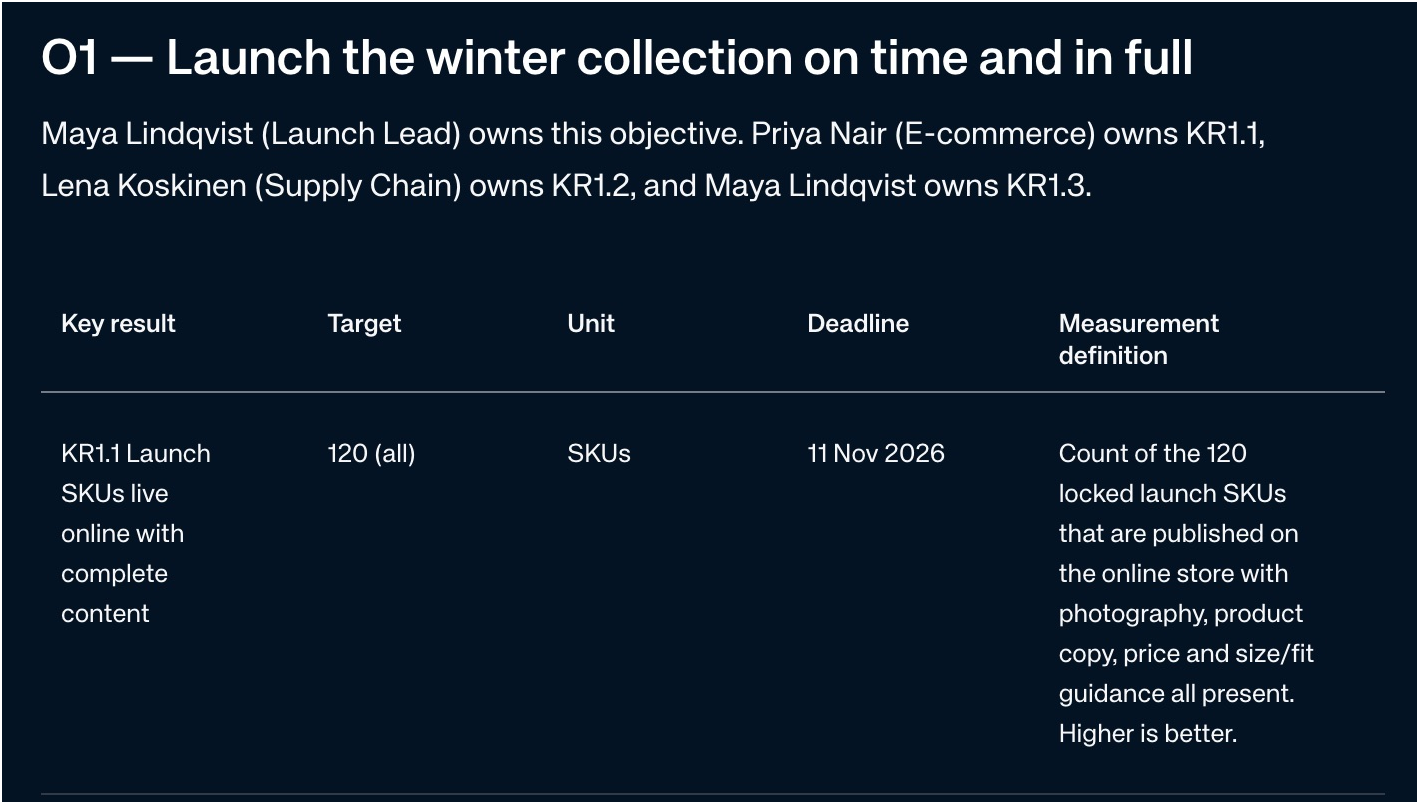
These are fictional planning targets. They are not evidence of measured progress. Agree definitions such as what counts as a complete product page before relying on the numbers.
The second example objective, Turn launch demand into profitable sales, targets €1.8 million in net sales, at least 32% full-price sell-through, and an online outerwear return rate of at most 12% by 30 November 2026. The return-rate target is a limit: lower is better.
3. Save the approved page
Once you approve the proposal, ask Claude to update the existing Objectives page, or add that page type if it is not installed:
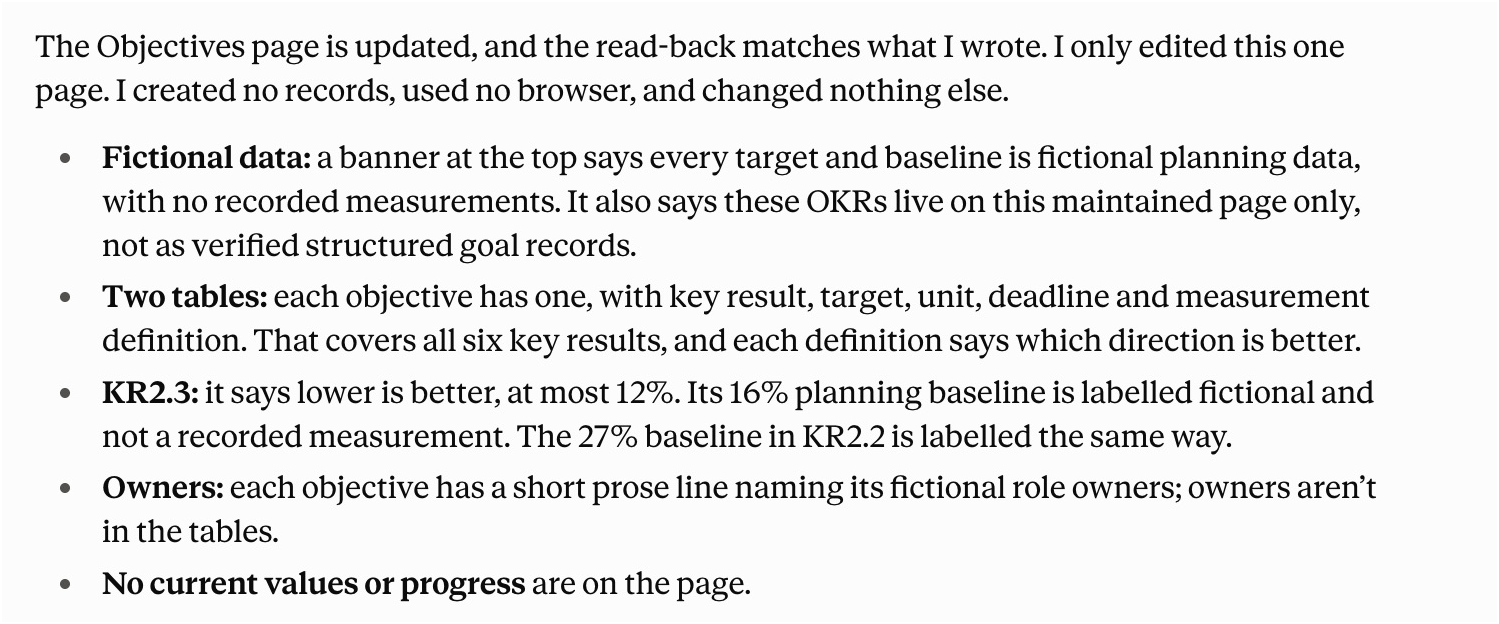
Save the approved OKRs on the Objectives page in Winter Launch Readiness. Use one table per objective, with each key result’s target, unit, deadline, and measurement definition. Label all figures and baselines as fictional planning data, with no recorded measurements. For the return-rate limit, state that lower is better and the target is at most 12%. Keep fictional role owners in prose only. Return the saved page link and report any failed or skipped changes.
This creates page content. It does not establish separate structured goal or key-result records. Trust the tools available in your connected client: the Claude connector used for this example supported page writes but did not expose goal-record writes.
4. Read the saved page back
Ask Claude to read the full saved page, not just its title or heading outline. Compare it with what you approved:
- The correct Workspace and Objectives page
- Objective titles and start and end dates
- Each key result’s title, target, unit, and deadline
- Measurement definitions and any upper or lower limits
- Clear separation between planning targets, baselines, and measured progress
Open the returned link in In Parallel and check the saved result. If a measure or definition is missing, ask Claude to correct the existing page rather than creating a second copy.
5. Review it as the work develops
Check About this page to understand how the maintained page uses Workspace sources and updates. Review the saved page after later edits or refreshes.
When real measurements become available, provide the value, date, and source, and ask Claude to reflect them on the page while preserving the agreed targets. A planned target and a current value answer different questions.