Changelog

What shipped, week by week.

The same release notes we send our customers — new capabilities, improvements, and fixes, every week.

16 July 2026

In Parallel Product Update 16.7.2026

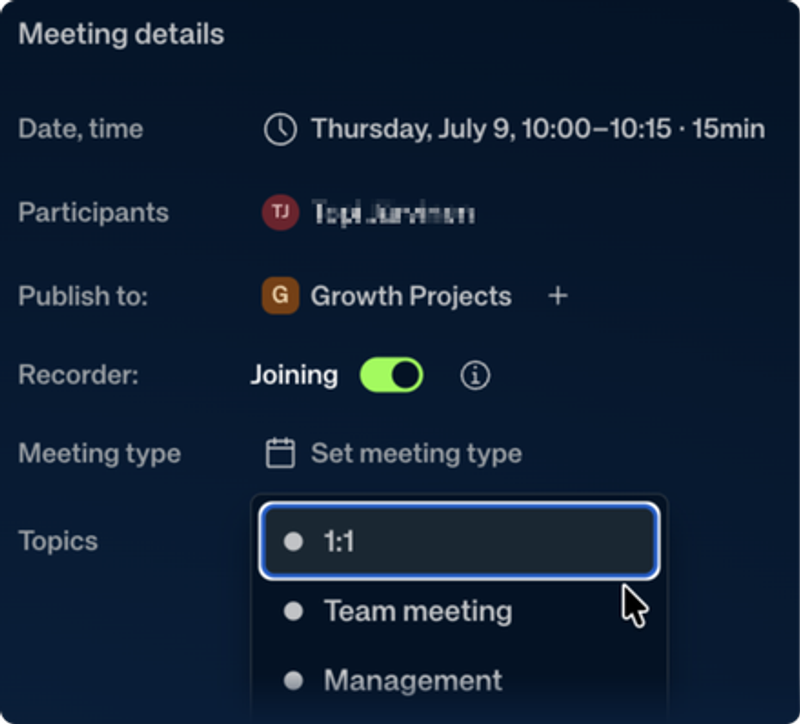
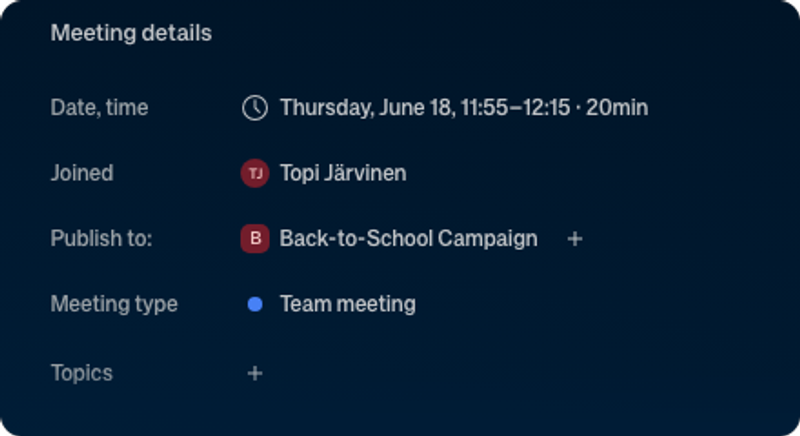
  • Meetings now classify themselves by type — and a type set on a recurring meeting applies to the whole series.
  • The in-app notification center is now on for everyone.
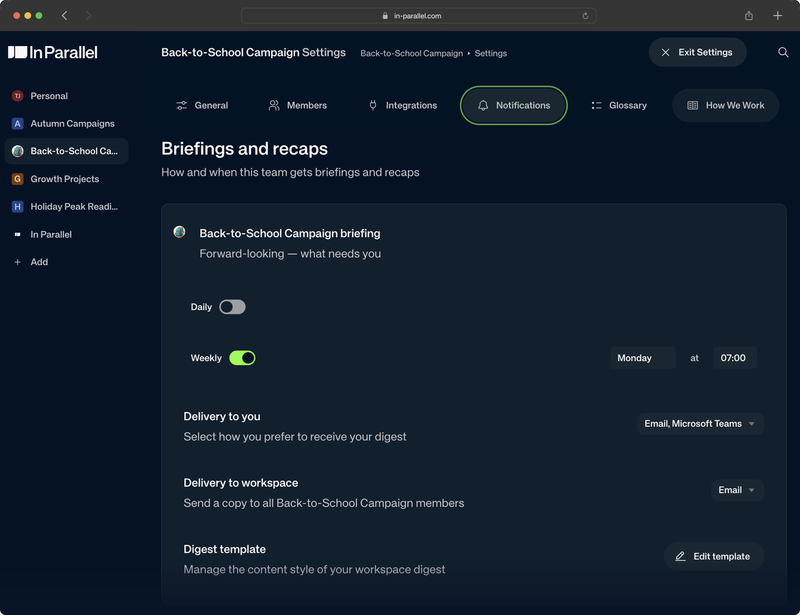
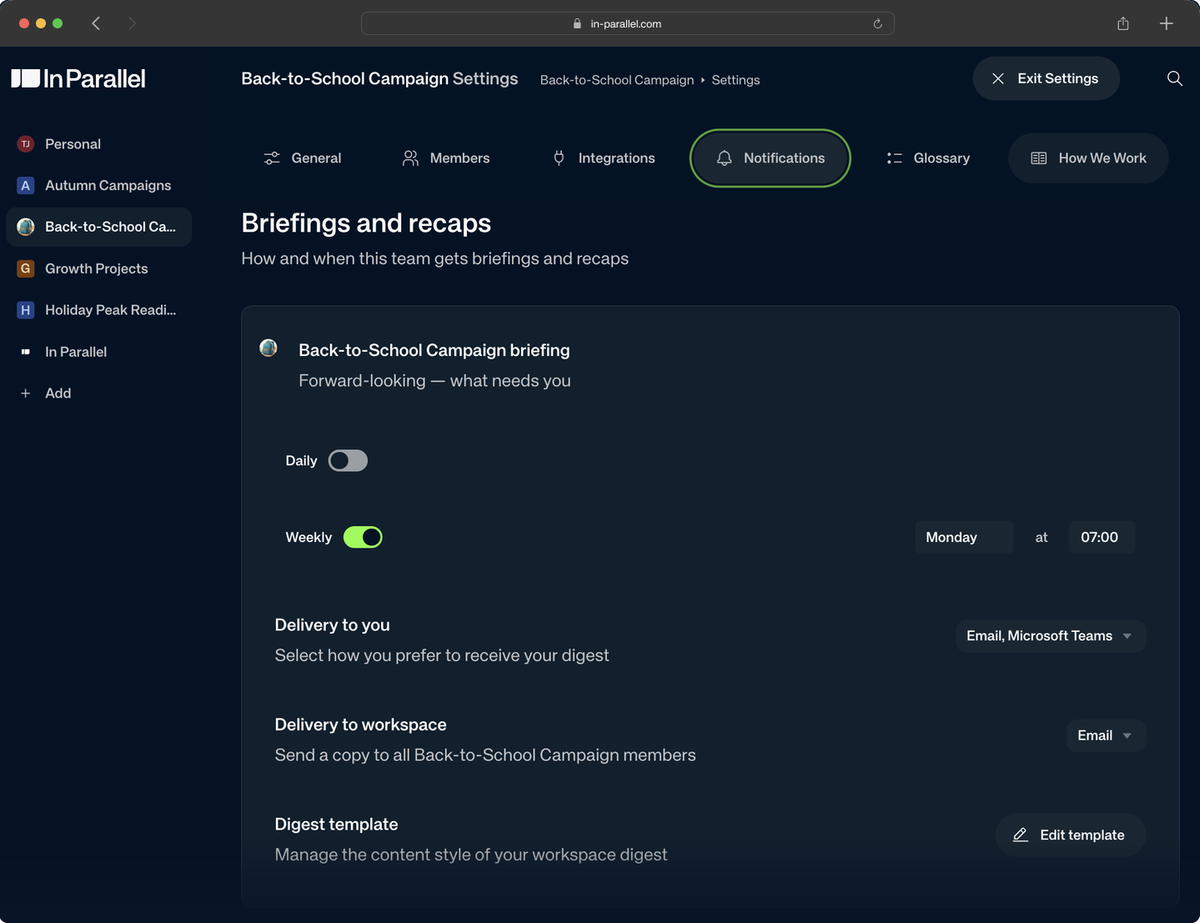
  • Every team now gets the full briefing rhythm — morning and weekly briefs, evening and weekly closes.
  • Meeting summaries can post to your Slack and Teams channels in a short, readable form — and Slack channels can add an optional "meeting starting soon" ping.
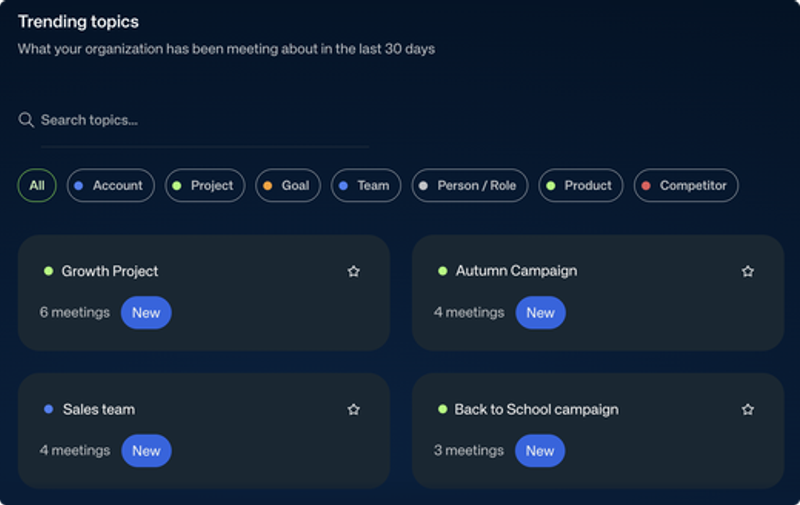
  • A new Trending topics page shows which topics keep coming up across your meetings.
  • Report emails have a cleaner, easier-to-scan design, and qualitative goals get an "Update progress" button.
Hero
Read the full update →
Hero

Six features graduate to everyone

Six capabilities matured with early-access teams — two of them from last update's "What We're Testing" — and now graduate to every team. They span three areas:

Meeting Types — Set Once, Sorted Everywhere
Feature

Your meetings now classify themselves. In Parallel automatically tags each meeting with its type — 1:1, standup, customer call, board, and more — so your meeting library sorts itself. (You can always adjust a type yourself.)

A series takes its type from one meeting. Previewed last update and now available to everyone: set a recurring meeting's type once and it applies to the whole series. You can also set a type on an upcoming meeting.

Slack & Teams Channels — Meetings Where Your Team Talks

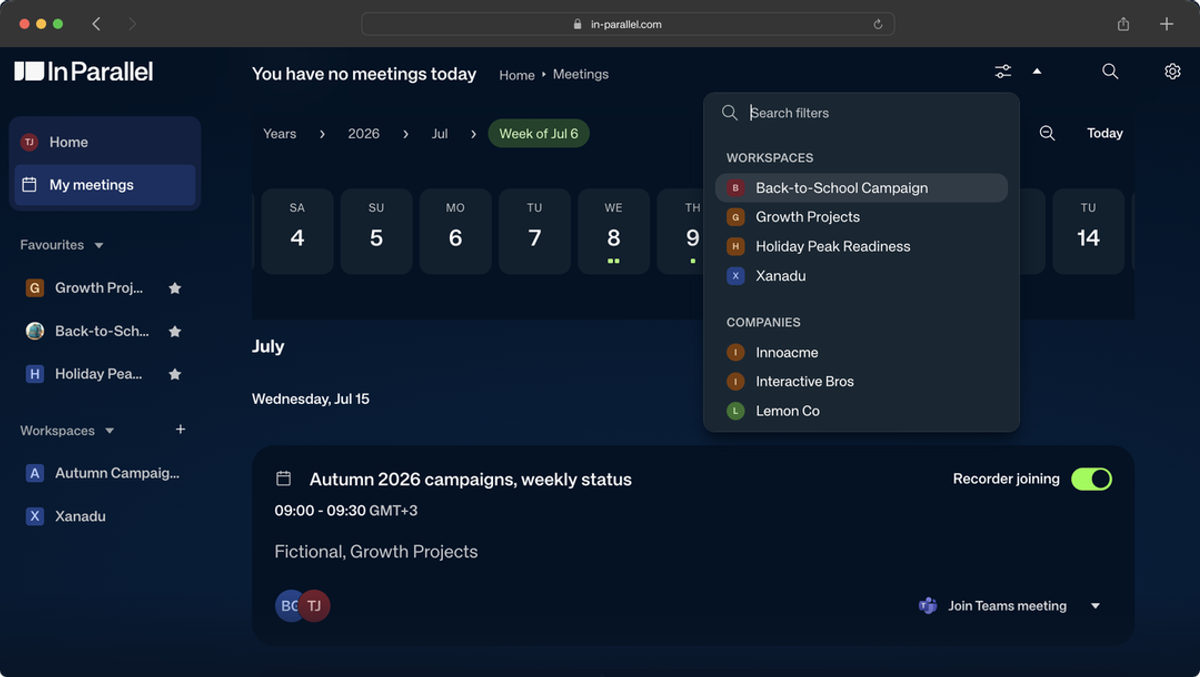
Every organization can now connect its channels. Subscribe Slack or Teams channels to a Workspace in settings and choose what lands there — meeting notes, briefings, or both. Channel posts now lead with the summary plus a link to the full write-up. Optionally, a subscribed Slack channel also gets a Join-button ping just before a meeting starts (off by default).

Notifications & Briefings — Now for Everyone

The notification center has arrived. Proactive in-app notifications, previewed last update, are now on for everyone: a persistent inbox behind the bell, plus a daily scan that surfaces stale, unowned, or deadline-approaching items.

Four briefing touchpoints are the standard. Morning brief, weekly brief, evening close, and weekly close are now the default rhythm for every team.

Also New This Week

Topics — Spot What Keeps Coming Up
Feature

A new Trending topics page. See which topics keep coming up across the meetings you have access to — ranked by activity over the last 30 days, with trend indicators, straight from the sidebar.

Goals & Reports

Update progress on qualitative goals. Goals driven by an action plan now have a prominent "Update progress" button.

Report emails, redesigned. A real visual hierarchy with status badges and compact links — easier to scan, nicer to read.

Reliability & Polish

Smaller improvements round out the week: a newer, more accurate transcription model; meeting prep capped at the three most important talking points; and Microsoft and Google sign-in now requesting only sign-in permissions — plus cleaner notifications and closings, and visual polish throughout.

Updated Knowledge Base

The help center caught up with the product. We've refreshed our articles for recent changes at support.in-parallel.com.

What We're Testing

These features are in early testing with a small set of teams. Interested in trying any of them? Let us know — we'd love your feedback.

  • Post-meeting follow-ups, drafted for you: after a meeting, an AI assistant drafts your most important follow-ups — an email recap, tracker updates, a Slack post — as ready-to-run prompts you review and run with your own AI tools. Nothing goes out without you.
  • Knowledgebase: a shared team knowledge base that lives alongside your execution plan, kept current after each meeting — and readable and editable from your connected AI tools.
  • Personal briefings: morning and weekly briefs scoped to the items you personally own, so your day starts with your work — not the whole Workspace's.

Get More Out of In Parallel

*A quick tip to help you get more from the product.*

Organize your meetings by type. Hard to find that one customer call among your standups? Tag each meeting as a 1:1, standup, customer call, board, and more — then open a type to see every meeting of that kind in one place. And as of this week, new meetings classify themselves automatically, so the sorting keeps itself up to date.

1. Open a meeting and set its type.

1. Repeat as you go — new meetings remember the pattern.

1. Open a type's page to browse every meeting of that kind.

Tag your recent meetings by type today.

What's Next

We're actively working on next:

  • Microsoft Copilot support: a Microsoft Copilot version of the In Parallel connector is in the works, so Copilot users can bring their live workspace into Copilot the same way.
  • Notifications for items assigned to you: Slack, Teams, or email notifications when something is assigned to you — with one-click status updates right from the message.
  • Better speaker attribution in shared rooms: when several people share one microphone, transcripts will attribute what was said to the right person.
  • Localized report emails and digests: the interface is fully translated, and we've started localizing the emails In Parallel sends you — meeting-report emails are first in line.

What else would you like to see improved? We'd love to hear from you.
9 July 2026

In Parallel Product Update 10.7.2026

  • Reconnect a calendar or Slack integration in place — no more disconnect-and-set-up-again.
  • Renaming a topic now sticks, and duplicate topics can be merged into one.
  • Your post-meeting Slack message now includes the summary itself, not just a link.
  • Meeting lists show attendee company logos and a filter; action-item and findings views are cleaner.
  • A round of reliability improvements across briefings, tasks, and notifications.
Hero
Read the full update →
Hero

Smoother integrations and tidier topics

A focused week of quality-of-life improvements:

Integrations — Reconnect Without Starting Over

Re-authorize an integration in place. Your Google or Outlook calendar, personal Slack, and the company-wide Slack app can now be re-authorized in place — so refreshing access or rotating a token no longer means tearing the connection down and rebuilding it.

Topics — Renames That Stick, and Merges

Rename a topic and it stays renamed. Renaming a topic now holds everywhere it's used, and you can merge duplicates into one — so your topic list stays clean.

Meetings — Richer Lists and Summaries

See the summary right in Slack. The post-meeting Slack message now includes the report's summary inline — a few bullets of the gist — instead of only a "your summary is ready" link.

Recognize meetings at a glance. Attendees without a photo now show their company's logo, and you can filter your meetings list. The current-meeting shortcut in the sidebar now opens the meeting itself, not the calendar.

A Cleaner Dashboard and Findings View

Action-item rows breathe. In the Action Items widget, the due date and AI action now appear on hover, giving each title room. And your observations view folds a superseded decision under the one that replaced it, rather than listing both as equals.

Reliability

A round of behind-the-scenes fixes rounds out the release: briefing cadence stays consistent, task lists load within safe bounds, over-long Slack messages no longer drop, and the API is better protected against outdated browsers.

What We're Testing

These features are rolling out gradually to a subset of teams. Interested in trying any of them early? Let us know.

  • Meeting type across a whole series: set a recurring meeting's type once and have it apply to the whole series, feeding smarter meeting prep.
  • Proactive in-app notifications: a daily scan that surfaces stale, unowned, or deadline-approaching items so nothing quietly slips.

Get More Out of In Parallel

*A quick tip to help you get more from the product.*

Turn any workspace into a visual board — instantly. Need a dashboard of your actions and risks for a status update or team review? By using the In Parallel MCP connector, you can ask Claude to lay out your live workspace at a glance — ready to drop into a status update or presentation. No slides, no manual setup.

Copy this into Claude:

Make a visual board of the [your project] workspace — show the most important actions and risks at a glance. Use the In Parallel connector.

See the full how-to →

Haven't connected your AI tool to In Parallel yet? Here's how →

What's Next

We're actively working on next:

  • Microsoft Copilot support: we're finalizing testing on a Microsoft Copilot version of the In Parallel connector, so Copilot users can bring their live workspace into Copilot the same way.
  • Decisions and actions from your Slack and Teams conversations: turn important channel updates into observations automatically, so async discussion feeds your plan, not just meetings.
  • Localized report emails and digests: now that the interface is fully translated, bringing your report emails and digests into your language is the remaining step.

What else would you like to see improved? We'd love to hear from you.
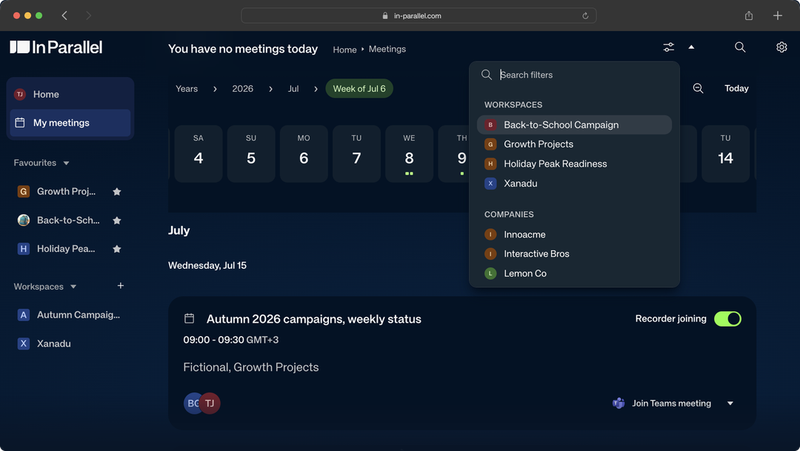
3 July 2026

In Parallel Product Update 3.7.2026

  • The entire interface now speaks every supported language — 13 locales, fully translated for everyone.
  • Search across your meetings and notes now understands what you mean, not just the exact words you typed.
  • Meetings can be classified and filtered by type — 1:1s, standups, customer calls, and more.
  • Every topic now carries a short, auto-generated AI summary of what's been discussed.
  • Teams can be made discoverable across your company, so people can find the ones that matter to them.
  • Non-owner workspace members can now leave a workspace, and company owners get a dedicated Security tab for privacy controls.
  • A round of reliability fixes across meetings, briefings, and navigation rounds out the release.
  • Plenty is now in early testing — including automatic speaker labels in transcripts and workspace tag subscriptions. See *What We're Testing* below.
Hero
Read the full update →
Hero

Full localization, smarter search, and easier team discovery

This is a bigger release than usual, spanning about a week and a half of work. Here's what's new and what it means for you:

Now in Your Language

The interface is fully translated. Every screen now speaks your language across all 13 supported locales — Czech, Danish, German, Spanish, Finnish, French, Hungarian, Italian, Norwegian, Dutch, Polish, Portuguese, and Swedish — with transactional emails (sign-in, invites, and the like) following your language setting too. Set your language in personal settings and the whole app follows. (Report emails and digests still arrive in English for now — bringing those into your language is next; see *What's Next*.)

Meetings — Classify and Filter by Type

Feature

Classify meetings by type. Tag a meeting as a 1:1, Team meeting, Standup, Customer call, Board, and more — then open that type's page to see every meeting of that kind in one place. (Automatic speaker labels in transcripts are rolling out separately — see *What We're Testing*.)

Find Things Faster

Search understands what you mean. Searching your meetings and notes now matches on meaning as well as exact words — a search for "blocked on hiring" will also surface a note that says "waiting on the recruiter," even without a shared word between them.

Every tag gets an AI summary. Topics now show a short, auto-generated summary of what's been discussed under them, right at the top of the tag's page.

Teams & Workspace Controls

Make a team discoverable. A team can now be made visible across your company — others can see it exists (name, description, members) without being a member, though they still can't open its content. Team owners and admins control this. (Subscribing a workspace to specific tags so matching meetings route to it automatically is in early testing — see *What We're Testing*.)

Leave a workspace yourself. Any workspace member can now remove themselves from a workspace, without needing to ask an owner.

A dedicated Security tab. Company owners get a new Settings → Security tab that brings together the meeting-download policy and AI privacy controls. Masking people's names in MCP responses is now a single company-wide switch set by the owner, rather than a setting each person turned on individually — if you'd previously enabled it yourself, check with your workspace owner that it's still on.

Smaller Improvements

Your organization's goals now show up directly above the execution plan instead of a separate tab. The sign-in page greets returning visitors by name and remembers which method you used last time. Company settings' Details tab is now General (with Glossary moved to the end), and personal settings open on a renamed General tab first. The Workspace channels section moved into Notifications settings, favourites got a refreshed icon and better sidebar alignment, dashboard rows and Findings rows both reveal their due date and AI action on hover, and tag detail pages now scroll smoothly through long lists instead of loading everything at once. Talking-point emails are fully clickable, daily briefings are a bit tighter, and the "Home" breadcrumb actually takes you home now. AI assistants connected via MCP can set typed goals (OKRs, KPIs, Milestones) with target and current values, and can search across your observations, decisions, and action items directly.

Reliability

Behind the scenes, a round of fixes keeps things dependable: the meetings list no longer crashes on a fast scroll, older meetings load reliably once you've scrolled back far enough, invited participants can edit meeting details again, the recorder's re-invite button hides once it has actually joined, the meetings calendar's "Now" marker stays put until you interact with it, the page header no longer jumps under the top navigation, tenant logos are checked for a supported file type before use, briefings fire on the cadence you configured, meeting-summary Slack messages match the look of your other notifications, and AI assistants connected via MCP can now reliably page through longer lists of meetings — plus several smaller stability improvements.

What We're Testing

These features are rolling out gradually and are in early testing with a subset of teams. Interested in trying any of them early? Let us know — we'd love your feedback.

  • Automatic speaker labels in transcripts: we've moved transcript processing to a higher-quality mode, so recorded meetings come back with each line attributed to who said it — and transcripts are more accurate overall, with far less mid-meeting language-mixing. Rolling out gradually, team by team.
  • Name speakers and fix transcript words: once automatic speaker labels are on for you, correct a name inline or fix a misheard word to your glossary — both update every mention at once.
  • Tag subscriptions: subscribe a workspace to the tags you care about, and meetings tagged with them route into that workspace automatically.
  • A briefing-first workspace home: a redesigned workspace landing page that puts your daily briefing front and center, with a calendar strip to browse other days.
  • Correct & re-send meeting notes: after a meeting, fix attendee names, dial the summary's length up or down, and send the polished version to attendees.
  • Briefings & digests in Slack and Microsoft Teams: deliver a briefing or digest straight to a workspace's subscribed Slack or Teams channels, so the whole team sees it where they already work.
  • Team spaces: a shared, collaborative team wiki where your workspace's knowledge lives alongside your plan — with the foundations continuing to take shape.

What's Next

We're actively working on next:

  • Capture decisions and actions from your Slack and Teams conversations: automatically turn important updates in your connected channels into observations, so async discussion feeds your plan, not just meetings.
  • Localized report emails and digests: the interface is now fully translated; bringing your report emails and digests into your language is the remaining step.

Much of what's in this release — and what's coming next — came straight from your feedback. Thank you for sharing it so openly; the conversations we have with the teams using In Parallel every day are the biggest driver of what we build, and we're committed to making the product better with every release.

What else would you like to see improved? We'd love to hear from you.
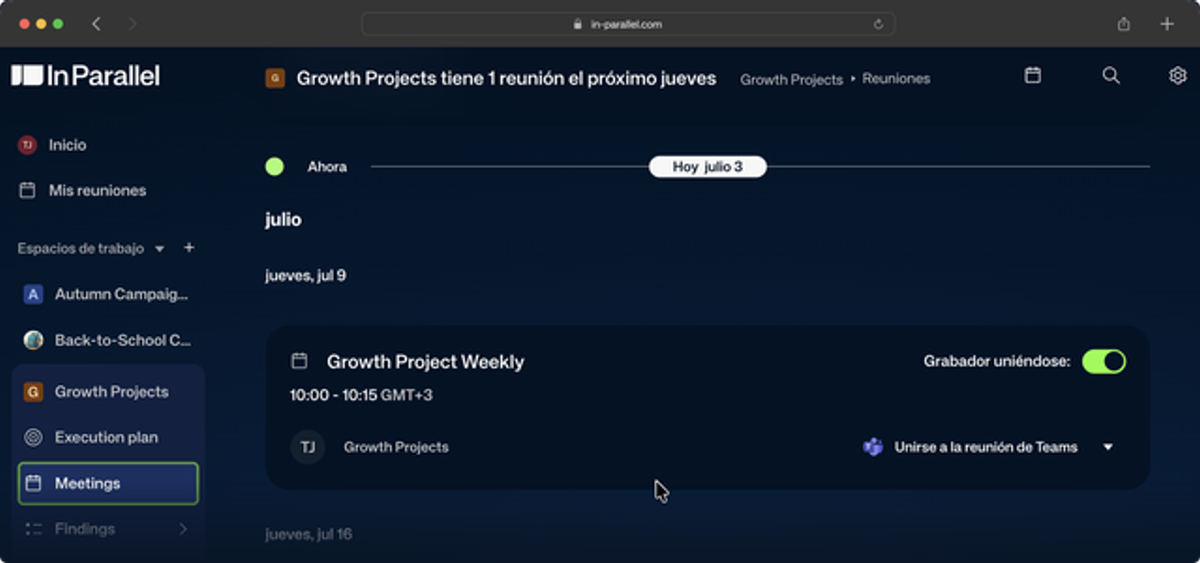
26 June 2026

In Parallel Product Update 26.6.2026

  • Meeting reports now have a dedicated Transcript tab — read or download the full transcript right alongside your notes.
  • Recorder bots no longer clutter your attendee list, and a meeting's organizer can set a Topic on their own meeting.
  • A dedicated Members tab makes workspace settings easier to navigate, and tenant admins can now manage any workspace.
  • Briefings read more like a person wrote them — naming the actual decisions and goals, in a calmer, sharper voice.
  • You can now rename a Topic inline from its page, and a new company-wide policy controls who can download meeting content.
  • A hardened sign-in flow and a round of reliability fixes round out the release.
  • Several new features are now in early testing — take a look at *What We're Testing* below.
Read the full update →

Sharper meetings, cleaner briefings, and easier control of your workspace

This update focuses on the everyday surfaces you live in — your meeting reports, the briefings that land in your inbox, and the settings that keep your workspace organized. Here's what's new and what it means for you:

Meetings — Your Transcript, Front and Center

The full transcript now has its own tab. Past recorded meetings now show a Transcript tab alongside Notes and Updates, so you can read the complete conversation in context — and download it as plain text from the same place.

Recorder bots stay out of your attendee list. AI notetaker and recorder bots are no longer counted as participants, so your meeting reports and summary emails show only the real people who were there.

Set a topic on your own meeting. A meeting's organizer can now apply a Topic to their own meeting, and the workspace Publish to picker now includes workspaces you reach through a parent team — so meetings land where you expect.

Briefings — Clearer, Calmer Writing

Briefings that read like a person wrote them. Generated briefings now name the actual decisions, goals, and priorities they're about, lead with a sharper opening line, and drop the manufactured drama. Pre-meeting talking points are tighter too — each one frames the blocker, the stakes, and the ask, capped at the four that matter most.

Workspace Controls — Tidier Settings, More Admin Reach

A dedicated Members tab. Workspace settings now have a dedicated Members tab, so it's easier to see and manage who's in a workspace at a glance.

Admins can manage any workspace. Tenant admins can now rename, reassign, or clean up any workspace — useful when an owner leaves and someone needs to take over, without having to be a member first.

Control who can download meeting content. A new company-wide policy lets an owner decide whether meeting transcripts and notes can be downloaded or exported, right next to your AI privacy controls in Settings.

Rename a Topic in place. Topics are now editable — click a Topic's title on its page to rename it inline, with Enter to save and Esc to cancel.

Smaller Improvements

The execution plan's Time Horizons view now shows your program timeline inline, and a long Sync run tells you it's working rather than looking stuck. Navigation is calmer and steadier: favourited workspaces carry their full menu into Favourites, collapsed sidebar sections stay collapsed, execution-plan and goal pages scroll their columns independently, and the meetings calendar reliably lands on today. Extracted Open Questions now read as actual questions, and Contact us moved into the user menu.

Security & Reliability

A more secure sign-in. Magic-link sign-in is now hardened so the link can't be consumed by an email scanner or link preview before you click it — your first click is always the one that signs you in.

Behind the scenes, a round of fixes keeps your meetings, briefings, and reports dependable: closing briefings and digests that had stopped reaching some teams now deliver reliably, the recorder cleans up after rescheduled and duplicate meetings instead of stalling, briefing priority cards link straight to the right item, and execution-plan version history no longer fills with identical snapshots — plus several smaller stability improvements.

What We're Testing

These features are rolling out gradually and are in early testing with a subset of teams. Interested in trying any of them early? Let us know — we'd love your feedback.

  • Correct & re-send meeting notes: after a meeting, fix attendee names, dial the summary's length up or down, and send the polished version to attendees.
  • Briefings & digests in your Slack channels: deliver a briefing or digest straight to a workspace's subscribed Slack channels, so the whole team sees it where they already work — not just email and DM.
  • Company Developer Keys & MCP setup: mint and revoke company-wide API tokens for connected AI tools from one place, plus a guided onboarding step to connect your first MCP tool — Claude, Copilot, and more.
  • Team spaces: a shared, collaborative team wiki where your workspace's knowledge lives alongside your plan — with the foundations now in place and AI assistance being built on top.

What's Next

We're actively working on next:

  • Capture decisions and actions from your Slack and Teams conversations: automatically turn important updates in your connected channels into observations, so async discussion feeds your plan, not just meetings.
  • A smoother first run: a faster, lower-friction onboarding that gets you to your Personal Dashboard and your first great meeting notes sooner.
  • Localized report emails and digests: the interface already covers 15 languages; bringing your report emails and digests into your language is the remaining step.
  • Speaker labels in transcripts: knowing who said what, automatically, in your meeting transcripts.

Much of what's in this release — and what's coming next — came straight from your feedback. Thank you for sharing it so openly; the conversations we have with the teams using In Parallel every day are the biggest driver of what we build, and we're committed to making the product better with every release.

What else would you like to see improved? We'd love to hear from you.
18 June 2026

In Parallel Product Update 18.6.2026

  • Manage the recorder live — re-invite the In Parallel notetaker to a meeting that's already running and follow its status in real time.
  • Your briefing and recap emails now carry the full briefing — cleanly formatted and in more natural language.
  • Tags are now Topics — the same feature, a clearer name.
  • Bringing teammates on board is easier: one-click invites for colleagues on your domain, and an automatic account setup on their first sign-in.
  • Every new workspace starts with context — In Parallel drafts an initial "How We Work" during onboarding or when you create a workspace via a connected AI tool, and you can edit it anytime.
  • Stronger privacy for connected AI tools — the opt-in mask-people setting now also masks first names in free text and keeps one consistent alias per person.
  • Slovak joins the interface languages, now 15 in total.
  • Plus a more reliable recorder and report delivery, and a round of polish.
Read the full update →

Sharper reports, clearer naming, and an easier start for your team

This release puts you back in control of the live recorder, and makes the things you read every day — briefing emails, Topics, onboarding — clearer and more dependable. Here's what's new:

Manage the Recorder Live

Re-invite the notetaker without missing a beat. If the In Parallel notetaker leaves a meeting that's still in progress — or was removed earlier — you can now re-invite it in a single click and watch its status update in real time. A dropped or kicked-out recorder no longer means a lost recording.

Briefings & Recaps — Richer, Cleaner Emails

Your full briefing, right in the email. Briefing and recap emails now include the complete briefing — not just the opening line — with headings, bullet points, links, and tables all rendered properly.

Writing that reads like a person wrote it. Generated email copy is now tidied automatically — stray formatting and over-long bullet lists are trimmed — for a crisper, more natural read.

A Smoother Start for Your Team

One-click invites for your colleagues. When someone from your company's domain already shows up as a member, you can now invite them in a single click from Manage members — and they're set up with a full account automatically the first time they sign in.

Every new workspace starts with context. When you confirm a workspace during onboarding — or create one with the `create_workspace` tool from a connected AI assistant — In Parallel drafts an initial "How We Work" for it: a short profile of how your team operates, so the plans and updates it produces fit the way you actually work. You can review and refine "How We Work" for your existing workspaces anytime from team settings.

Tags Are Now Topics

A clearer name for the same feature. What you knew as Tags are now called Topics across the app — for grouping meetings, observations, and workspaces by theme. Apply a Topic to anything related, then filter by it to see every meeting, observation, and workspace on that theme in one place. How they work is unchanged; the name is simply clearer.

Connect Your AI Tools — Stronger Privacy, Sharper Search

Find meetings by topic from your AI tools. Connected tools can now search your meetings by name or topic directly, alongside a broader set of agent-friendly improvements.

Better people-masking for connected AI tools. The opt-in setting that hides names from your connected assistant now also catches first names in free text, keeps one consistent alias per person, and no longer masks the recorder or your company name.

Smaller Improvements

Slovak joins the interface languages, bringing the total to 15. We also fixed navigation glitches where content could show through the top bar or overlap the footer, and tidied the workspace settings header.

Reliability

Behind the scenes, a round of fixes keeps your reports and recorder dependable: report and document generation no longer stalls on an unexpected AI value, a nightly cleanup task and member removal now run cleanly, and a memory issue that could slow background planning is resolved.

What's Next

We're actively working on next:

  • Capture decisions and actions from your Slack and Teams conversations: automatically turn important updates in your connected channels into observations, so async discussion feeds your plan, not just meetings.
  • Localized report emails and digests: the interface already covers 15 languages; bringing your report emails and digest into your language is the remaining step.
  • Team spaces: a shared team wiki, building on foundations laid in recent releases.

What else would you like to see improved? We'd love to hear your feedback.

12 June 2026

In Parallel Product Update 12.6.2026

  • Connect your AI tools to In Parallel — the MCP connector is now on in every tenant. Bring Claude, Cursor, ChatGPT, Copilot, and others to your In Parallel data. Ask Topi for a quick setup session.
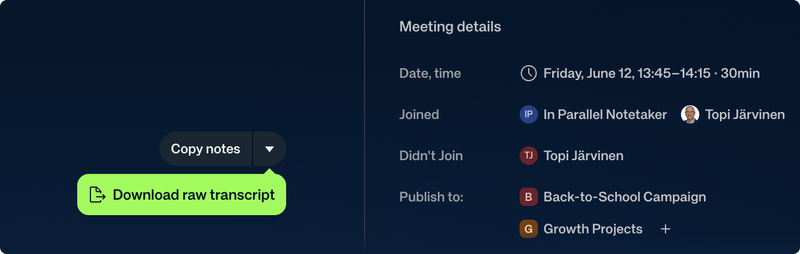
  • Download the raw meeting transcript directly from the notes view.
  • A more guided onboarding, with in-context help tips that link straight to the knowledge base.
  • Privacy for connected AI tools. A new opt-in setting masks people's names and emails in everything your AI assistant reads.
In Parallel — connect your AI tools
Read the full update →
In Parallel — connect your AI tools

Connect your AI tools — now on for everyone

> The MCP connector is now enabled in every In Parallel tenant. Connect your AI tools — Claude, Cursor, ChatGPT, Copilot, and others — and put them to work on your In Parallel data. Want a hand? Ask Topi for a quick setup session, or follow the step-by-step guide.

Mask people in what your AI sees. A new opt-in privacy setting replaces real names and emails with consistent pseudonyms in everything your connected assistant reads — so you can put AI to work on your data without exposing personal details.

Connected tools also gain cross-kind observation search, a full changelog toolset, deep-links back into In Parallel, and several new meeting tools.

Download your raw transcript

Get the full transcript, not just the notes. You can now download the raw meeting transcript directly from the notes view. New meetings also include a clear recording disclosure.

Download the raw transcript

A smoother start for new users

Help right where you need it. New help tips add a short explanation and a "Learn more" link to the matching knowledge-base article on each onboarding step. When no calendar is connected, In Parallel now points you to the note-taker invite email, workspace suggestions are de-duplicated and better ordered, and "Add your first goal" works for suggested workspaces.

Smaller improvements

Tags, refreshed. The cleaner tag design is now the default — a colored dot per group, hover to remove, and a search-first add-tag flow — along with navigation fixes.

Plans you can resync. A new Sync button next to an execution plan triggers replanning on demand and shows when planning is in progress, and the alignment dashboard gains a Recalculate button.

There's also a round of polish: a refreshed global search modal (press Esc to dismiss), related observations in the meeting sidebar, magic-link sign-in fixes, recognition of new Teams meeting links, and a fix for custom key-result units reverting to "%".

What's Next

We're actively working on:

  • Briefings, recaps, and pre-meeting talking points: a morning briefing and evening recap on your cadence, plus AI talking points before each meeting.
  • Meeting notes & briefings in Slack and Microsoft Teams: choose email, Slack, or Teams per person and per workspace, so your reports arrive where you already work.
  • Manage the recorder live: invite or re-invite the In Parallel notetaker to a meeting that's already running and follow its status in real time.
  • Localized report emails and digests: the interface already covers 14 languages; bringing your report emails and digest into your language is the remaining step.
  • More Observation Intelligence: surfacing decisions, risks, and action items even more automatically.
  • Team spaces: a shared team wiki, building on foundations laid in recent releases.

What else would you like to see improved? We'd love your feedback.

5 June 2026

In Parallel Product Update 5.6.2026

  • Organize your findings your way. Reorder observations by drag-and-drop, delete the ones you don't need, and let automatic impact scoring filter out low-quality items so your changelog stays signal-rich.
  • A simpler way to track risk. Escalations and obstacles are now a single Risk observation with a clear five-stage lifecycle, from identified to closed.
  • Make every workspace yours. Give each workspace its own color or image, set your own name and profile picture, and reparent a workspace right from Settings.
  • Connected AI tools can now create and update workspaces — the "create workspaces over MCP" capability we previewed last time is live (early access).
  • Coming to early-access testers: proactive talking points before meetings, smarter daily briefings, a sharper meeting welcome, and inviting the recorder to a meeting. Reply if you'd like any switched on.
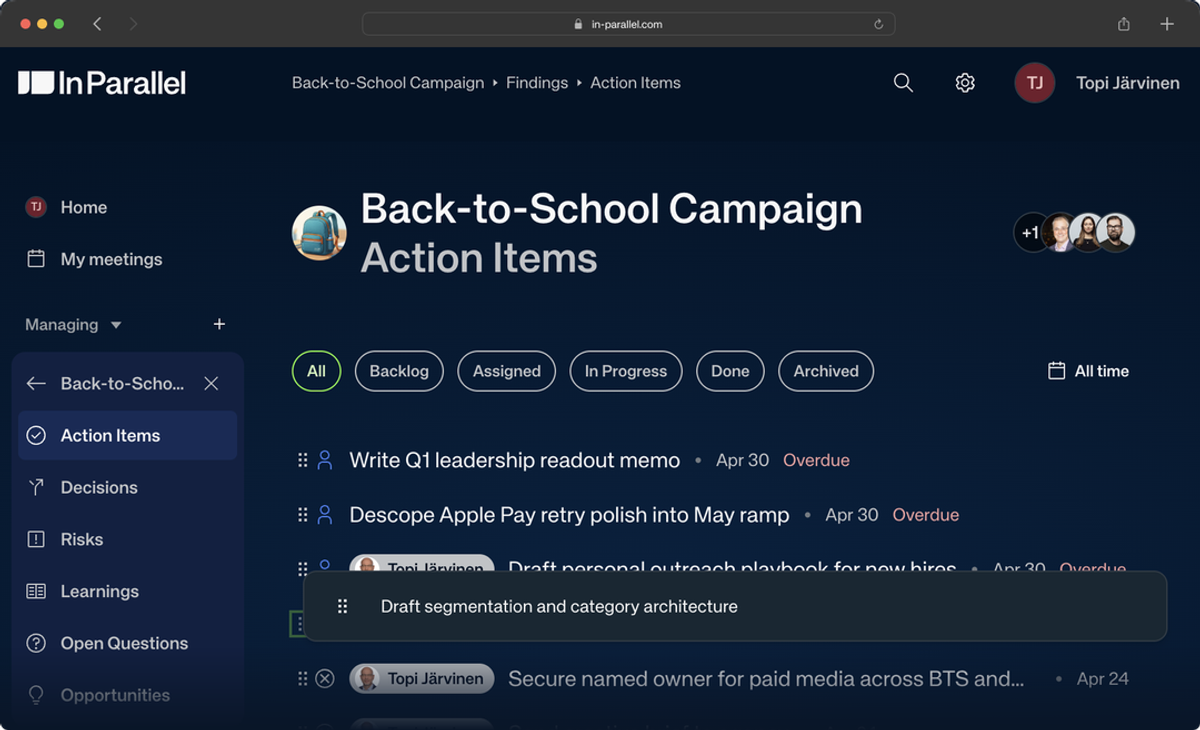
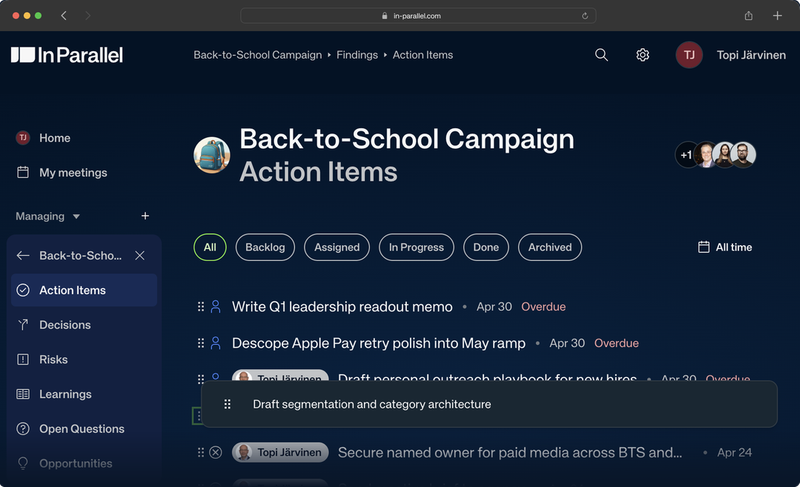
Reorder your findings by dragging them — the Action Items list
Read the full update →
Reorder your findings by dragging them — the Action Items list

Observations & Findings — sharper and easier to organize

Reorder your findings by dragging them. The Findings list now supports drag-and-drop reordering, so the observations that matter most sit where you want them.

Delete observations you don't need. Observation objects can now be deleted from the detail view, with a confirmation step.

One clear way to track risk. Escalations and obstacles are unified into a single Risk observation with a five-stage lifecycle — identified, assessing, mitigating, resolved, closed — so there's one consistent place to follow anything that threatens a plan.

Less noise, automatically. A new AI scoring step rates each observation's impact and filters out low-value items before they reach your changelog, so you see fewer, more meaningful observations.

Tag meetings and observations. A new tagging system lets you label meetings and observations, with tags surfaced in the meeting sidebar, observation detail, dedicated tag pages, and global search.

Workspaces & personalization — make it yours

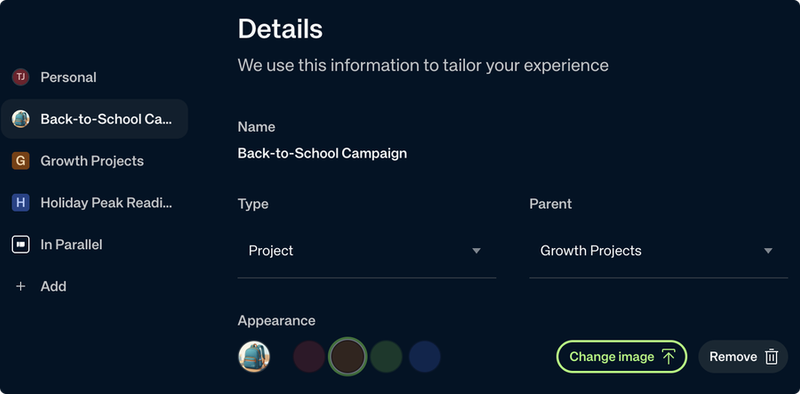
Give each workspace its own color or image, and reparent it from Settings

Give each workspace its own look. Personalize any workspace with one of four theme colors or an uploaded image — handy when you're managing several teams or projects at a glance.

Set your name and picture. Personal Settings now lets you edit your first and last name and upload a profile picture inline.

Reparent a workspace from Settings. Move a sub-workspace under a different parent directly from the workspace's settings, without help from support.

Know when your access changes. You're now notified when you're added to or removed from a workspace.

Settings also got a tidy-up: the settings gear moved into the global header, page headers, breadcrumbs, and avatars are now consistent across the app, and you can delete your own account from Personal Settings.

Smaller improvements

Reports are editable on load. Report and execution-plan documents are now editable immediately — no more switching into an Edit mode first (past versions stay read-only).

A cleaner welcome. The sign-in and magic-link screens have a refreshed two-column layout with direct Google and Microsoft sign-in.

Past meetings are always there. Opening My Meetings now shows past and earlier-today meetings immediately, instead of hiding them behind a scroll.

There's also a round of dashboard and navigation polish — the Action Items widget keeps Latest Updates in view, navigation no longer flickers between views, and the user menu gains a Support link — and Goals now respect the goal kind you explicitly request.

Security & reliability

Organization access through the GraphQL API is more tightly controlled, glossary access is fixed for members of sub-organizations, calendar sync now forces a full resync after repeated failures, and background jobs run on an updated, more reliable engine.

MCP integration — Early Access

> The integration that connects In Parallel to your AI tools (Claude, Cursor, ChatGPT, Copilot, and others) keeps expanding. Want in? Reply to this email.

Create and update workspaces from your AI tools. Connected agents can now create a new workspace and update a workspace's name, description, soul, and category — the "create workspaces over MCP" capability we previewed last release.

Connected tools also get richer list filters (owner, overdue, since), faster responses, tenant-scoped workspace discovery, and a friendly landing page at in-parallel.com/mcp.

What We're Testing

These features are in early testing and off by default. Interested in trying any of them? Reply — we'd love your feedback.

  • Pre-meeting Talking Points: Personalized talking points delivered before each meeting you attend, with a daily-digest option.
  • Smarter daily briefings: Four scheduled touchpoints — a morning briefing, weekly briefing, evening closing, and weekly closing — built from your live plan data.
  • A sharper meeting welcome: The pre-meeting welcome now draws on your workspace's execution plan and prior instances of the same recurring meeting, so the context is more relevant.
  • Invite the recorder to a meeting: Invite the In Parallel recorder to a meeting from the meeting page and watch its join status live.
  • Smoother Google Meet recording: A signed-in notetaker that avoids Google Meet's host-admission prompt.

What's Next

We're actively working on:

  • Localized report emails and the meeting digest: The interface already covers 14 languages; bringing your report emails and digest into your language is the remaining step.
  • More Observation Intelligence: Automatic tagging and impact scoring landed this release; surfacing decisions, risks, and action items even more automatically is next.
  • Team spaces: Foundations for a shared team wiki shipped behind the scenes this release; the experience is coming.

What else would you like to see improved? We'd love to hear your feedback.

29 May 2026

In Parallel Product Update 29.5.2026

  • In Parallel now speaks 14 languages. Two weeks after launching in English, German, Finnish, and Polish, the interface language list expands to 14 — adding French, Spanish, Italian, Dutch, Portuguese, Swedish, Danish, Norwegian, Czech, and Hungarian. The meetings view is now fully translated across every supported language.
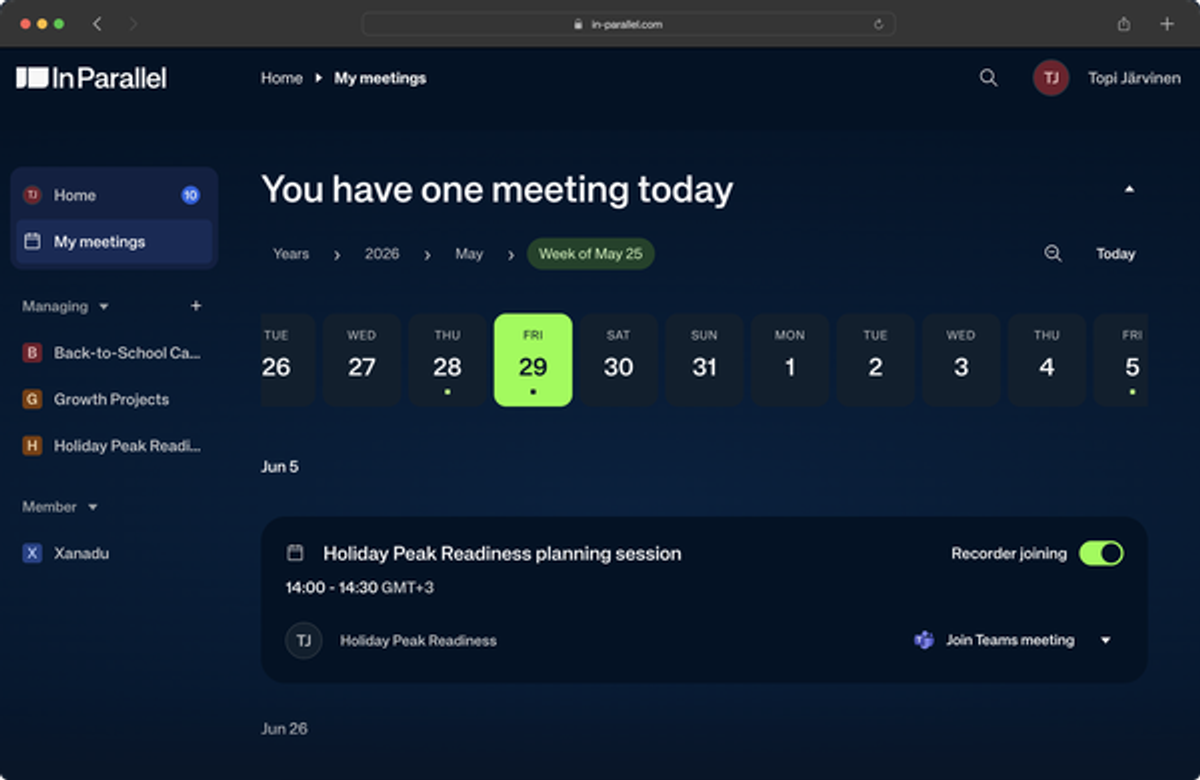
  • A single, unified meetings timeline. The Upcoming / Past tabs are gone. Meetings now live on one vertical timeline centered on a "Now" divider, with a pinned, collapsible date-scale tray to jump across weeks, months, and years — on both your personal meetings page and workspace meetings pages.
  • A complete data export for privacy requests. The GDPR Article 15 data-subject export (DSAR) now delivers your *actual* personal data — chat, meetings, and observations — instead of skeletal metadata.
  • MCP integration keeps maturing (early access). Connected AI tools (Claude, Cursor, ChatGPT, Copilot) get a redesigned, on-brand consent screen, clearer tool descriptions, and a new `get_drift_report` execution-health diagnostic. Want early access? Reply to this email.
  • Reliability across calendars, priorities, and background jobs. Calendar sync is more resilient to slow Outlook and Google responses, the Priorities view loads more reliably, and background jobs run more dependably.
Unified meetings timeline with collapsible date-scale tray
Read the full update →
Unified meetings timeline with collapsible date-scale tray

Localization — now in 14 languages

Ten new interface languages

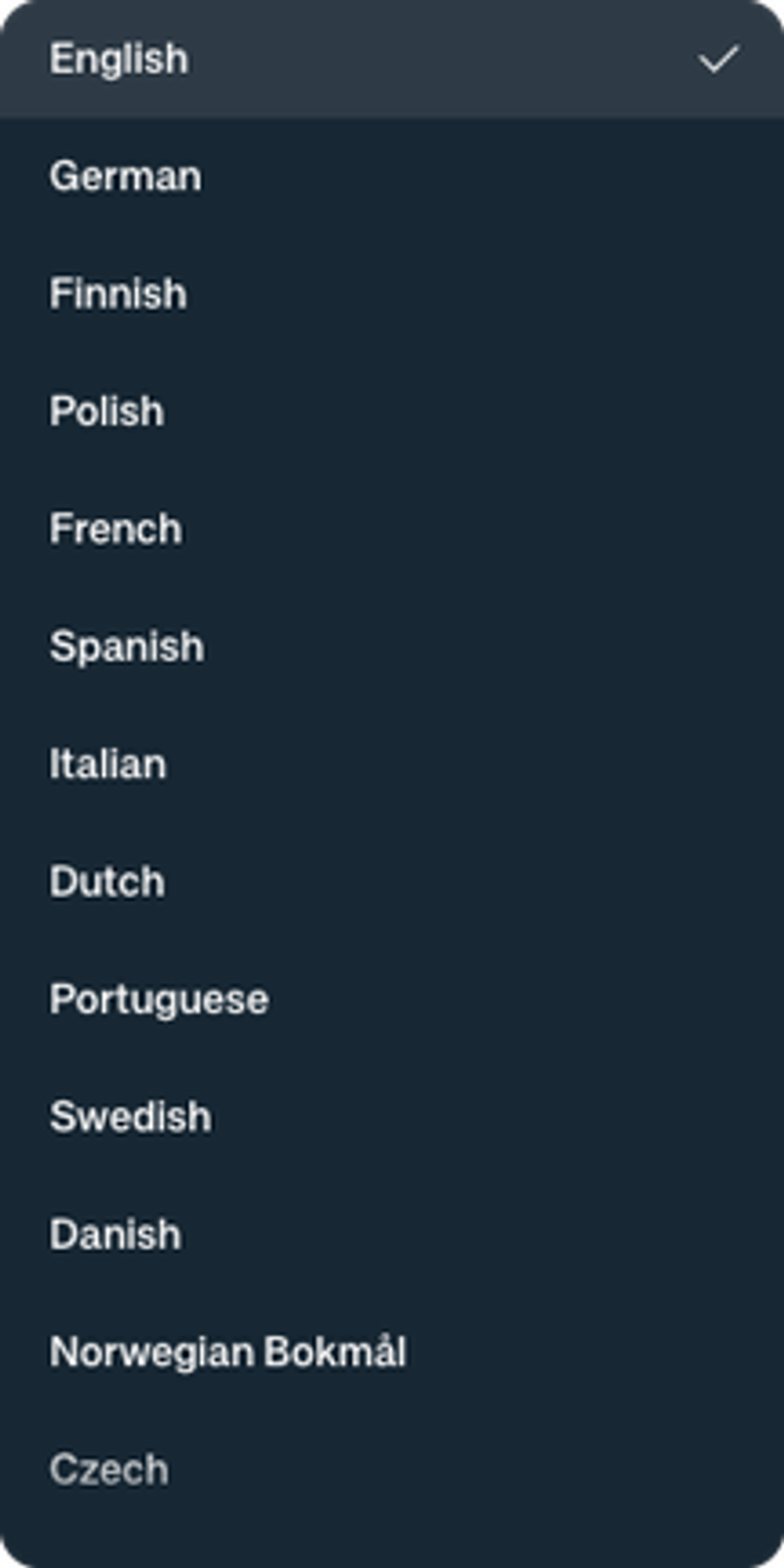
Settings → Personal → Language showing the expanded list of selectable interface languages

Two weeks ago In Parallel launched localized in English, German, Finnish, and Polish. This release expands the user-selectable interface languages to 14, adding French, Spanish, Italian, Dutch, Portuguese, Swedish, Danish, Norwegian, Czech, and Hungarian. Open Settings → Personal → Language to switch, or let the app auto-detect from your browser on first sign-in.

The meetings view — previously the largest gap — is now fully translated across every supported language, so dates, labels, and meeting controls all render in your chosen language. Report emails and the meeting digest still go out in English for now; translating them is the remaining step (see *What's Next*).

______________________________________________________________________

Meetings — one timeline, easier to navigate

Upcoming and Past merged into a single timeline

The separate Upcoming and Past tabs are replaced by one vertical timeline centered on a "Now" divider — scroll up for what's coming, down for what's done. The view also now lists calendar events that don't carry a join URL, so your meetings page reflects your real schedule rather than only joinable calls.

A collapsible date-scale tray

A pinned, collapsible date-scale tray sits above the timeline, letting you jump by week, month, year, or multiple years. It's available on your personal meetings page and has been extended to workspace and scope meetings pages (e.g. a specific team's meetings) so navigation is consistent everywhere meetings appear.

Search — jump to anything from anywhere

Global search across meetings, workspaces, and people

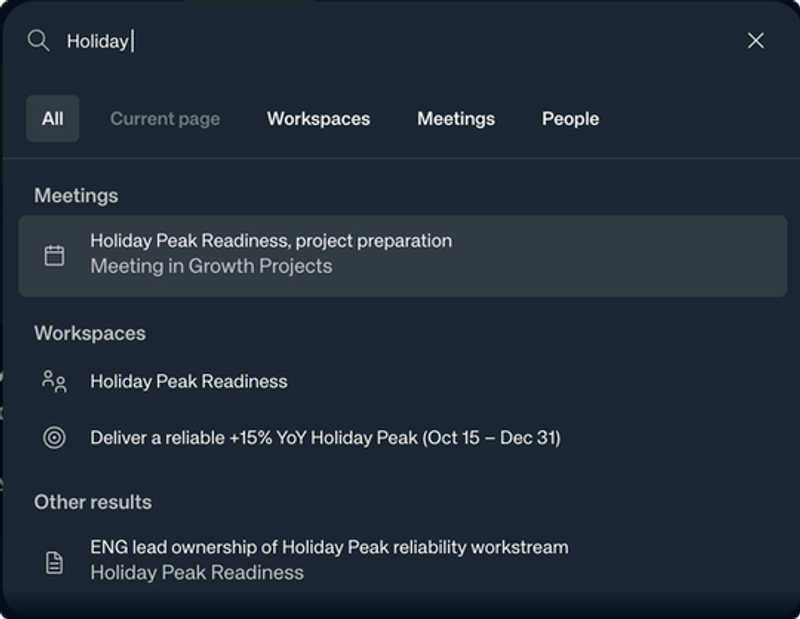
Global search palette showing grouped results for

A global search palette is now a keystroke away — press ⌘K (Ctrl+K on Windows) from anywhere in In Parallel to jump straight to a meeting, workspace, person, or goal. Type a few characters and results appear instantly, grouped by type, with tabs to narrow the scope (All, Current page, Workspaces, Meetings, People). It's the fastest way to get where you're going without hunting through the sidebar.

______________________________________________________________________

Privacy & Admin

Complete data exports for Article 15 requests

The data-subject access (DSAR) export tool was returning skeletal metadata — near-empty chat, meetings stripped to a handful of fields. It now delivers complete personal data: real chat content, full meeting records, and observations, so an Article 15 request returns what a person is actually entitled to.

Cleaner changelog recipients

When both a parent organization and one of its child organizations are in a changelog's recipient list, the parent is now excluded — only the most specific (leaf) organization receives it, so larger customers no longer get duplicate updates.

Non-owner members can manage meeting publish scopes

Adding or removing an organization from a meeting's publish scopes was gated to organization owners. Any member of an organization can now manage that meeting's publish scopes, matching how the rest of meeting sharing works.

MCP integration — Early Access

> Heads up — this section is early access. The MCP integration between In Parallel and connected AI tools (Claude, Cursor, ChatGPT, Copilot, and others) is rolling out to a limited group of customers. Want to be in the next wave? Reply to this email and we'll get you set up.

A redesigned connect screen

The consent screen you see when authorizing a connected AI tool has been redesigned to match In Parallel's visual language, with clearer Allow / Cancel actions and a dedicated error state when a connection can't complete.

Clearer tools for connected agents

Every In Parallel MCP tool now carries a human-readable title and spec-compliant behavior hints, so connected agents describe and choose the right tool more reliably. A new diagnostic, `get_drift_report`, gives connected tools an execution-health read on a plan — surfacing overdue action items, stale decisions, and unresolved escalations in one call.

Smaller improvements

Action items grounded in their origin

Action-item titles and their origin context are now anchored to a concrete subject, so an action reads clearly on its own instead of relying on the surrounding conversation to make sense.

Editor and dashboard polish

A round of design polish lands across the meetings view, dashboard, and settings, plus a refreshed workspace landing page. In the document and report editor, @-mention pills are now theme-aware, tables are cleaner, and status/priority chips match the design system.

Reliability

A batch of reliability fixes ships this release: the Priorities view loads more reliably and its dashboard section links are fixed; calendar sync is more tolerant of slow Outlook and Google responses, so fewer syncs fail; and background jobs run more dependably again after an earlier regression.

What's Next

We're actively working on:

  • Observation Intelligence: Turning meeting content into structured observations automatically — decisions, action items, and risks surfaced without manual tagging. The groundwork landed this release; automatic extraction is what we're building next.
  • Create sub-workspaces over MCP: Connected AI tools will be able to create project workspaces, teams, and business units when a decision calls for it — in review.
  • Localized report emails and meeting digest: The web UI now covers 14 languages. Translating report emails and the meeting digest is next — once that lands, your language preference is end-to-end.

What else would you like to see improved? We'd love to hear your feedback.

22 May 2026

In Parallel Product Update 22.5.2026

  • In Parallel now ships in four languages. The web UI is localized end-to-end for English, German, Finnish, and Polish — Settings → Personal → Language picks your interface language, and reports/emails will follow when the backend half lands. The Language selector in Settings is also visually consistent with the Timezone and Theme controls now.
  • Organization names are editable, and no longer have to be unique. A long-standing constraint that blocked two teams from sharing the same name is gone — organization names are also freely editable from Settings.
  • The notetaker bot is more reliable on Zoom. The notetaker now joins Zoom meetings through Zoom's officially recommended path, closing out a set of reliability issues. Forwarded calendar invites also now reliably trigger the bot — when you forward a meeting invite to In Parallel, you're explicitly asking for the bot, regardless of your default preferences.
  • Observation status updates everywhere. The primary "Update status" button used to only appear on action items; now every observation kind (Obstacle, Decision, Opportunity, Escalation, Open Question, Learning, Progress Update) gets it.
  • MCP integration continues to mature (early access). Connected AI tools (Claude, Cursor, ChatGPT, Copilot, and others) now see In Parallel's data model up front when they connect over MCP. Strict-spec compatibility fixes also mean tools that follow the MCP spec exactly now complete the connect flow cleanly. Want to opt in? Reply to this email and we'll set up early access for your team.
In Parallel UI in German — Settings → Personal → Language
Read the full update →
In Parallel UI in German — Settings → Personal → Language

Localization — In Parallel speaks your language

Web UI translated for English, German, Finnish, and Polish

Localization is live. The in-app UI ships translated for English, German, Finnish, and Polish — open Settings → Personal → Language to switch, or let the app auto-detect from your browser language on first sign-in. The change covers the full in-app experience, with dates, numbers, and layout adapting to the selected language. Report emails, the meeting digest, and system notifications still go out in English for this release; backend translation is up next.

A small polish: the Language selector now matches the visual style of the adjacent Timezone and Theme controls in Settings → Personal.

Organizations

Editable workspace names

Two long-running pain points around organization names are fixed in one go. First, organization names no longer have to be unique — two teams (or two business units, or two customers) sharing the same display name is now allowed. Second, organization names are editable directly from Settings → Organization. Onboarding flows are updated to match. If you've hit "team with that name already exists" or wanted to rename a team after the fact, you can now do both.

Editing the workspace name from Settings → Organization

______________________________________________________________________

Meetings & Notetaker reliability

More reliable Zoom joins

The notetaker bot now joins Zoom meetings through Zoom's officially recommended integration path. This closes out a set of reliability issues — session drops, audio interruptions, and the occasional failure to join. Existing bot configuration carries over; you don't need to do anything.

Forwarded ICS invites always summon the bot

When you forward a calendar invite to In Parallel, you're making an explicit decision: *I want the bot in this meeting*. The notetaker now joins these forwarded invites every time, even when your default preferences would normally skip internal or external meetings. Your normal preferences still apply to your connected calendar — only the explicit forwarded invite overrides them.

Clickable observation links in meeting reports

Observation references in meeting reports occasionally dropped to plain text rather than rendering as clickable links. Those links are now reliably clickable in both the in-app meeting report and the emailed version.

Tidier status badges in meeting notes

Status badges inline in meeting notes now use a solid, filled styling consistent with the rest of the app — both in the read-only meeting summary and the editor.

Observations & Plans

"Update status" appears on every observation kind

The primary "Update status" button on the observation detail page used to appear only on action items — every other observation kind (Obstacle, Decision, Opportunity, Escalation, Open Question, Learning, Progress Update) was missing it. The button now appears uniformly across all kinds, so you can advance an obstacle from "open" to "resolved" or move a decision from "proposed" to "accepted" directly from its detail page.

Observation relationships scoped per organization

Relationships between observations are now scoped to a specific organization. This is foundation work — the customer-facing surfaces built on top (per-organization relationship views, richer observation querying) start landing in the coming weeks. See *What's Next*.

Milestone goals save under the right category

Creating a Milestone goal was occasionally saving the goal under the Customer category instead. The goal form now reliably saves the category you pick. Goal categories are now a fixed six-item list: Customer, Milestone, Operational, Financial, Personal, Strategic. Existing goals are unchanged.

MCP integration — Early Access

> Heads up — this section is early access. The MCP integration between In Parallel and connected AI tools (Claude, Cursor, ChatGPT, Copilot, and others) is rolling out to a limited group of customers. Want to be in the next wave? Reply to this email and we'll get you set up.

Connected AI tools see the data model up front

When a connected AI tool first connects to In Parallel over MCP, it now sees a short orientation: the In Parallel data model, how workspaces are organized, and how to work with large result sets. New MCP tools come with their conventions documented in the same place, so connected agents pick the right tool faster and behave more predictably.

Strict-spec MCP clients now connect cleanly

Some AI tools follow the MCP integration spec strictly and were failing to register with In Parallel. The compatibility gaps are closed, so strict-spec MCP clients — Microsoft's connector among them — now complete the connect flow cleanly.

What We're Testing

These features are in early testing or available behind early-access flags. Interested in trying any of them? Let us know — we'd love your feedback.

  • MCP widgets inside connected AI tools: We're building lightweight In Parallel widgets that show up directly inside the AI tools you use (Claude, Cursor, ChatGPT). The behind-the-scenes MCP plumbing and development sandbox are in place this release; the first round of user-visible widgets is next.
  • Slack channel subscriptions for Workspaces: Connect Slack channels to your Workspaces. In Parallel uses these channels as a source for observation extraction — decisions, action items, and updates from async conversations. (Status unchanged from last release.)

Known issues we're tracking

Being honest about where the product still has rough edges:

  • Priorities view (Personal Dashboard). This release fixes the duplicate-numbering display ("1. 1. ..."). We know the wider Priorities view still has rough edges — ordering across teams, items not always reflecting the latest state, and limited filtering. The renewed Personal Dashboard (in *What's Next*) is where these all land cleanly. In the meantime, please let us know what you're hitting — every report sharpens the redesign.

What's Next

We're actively working on:

  • Renewed Personal Dashboard: The redesigned Personal Dashboard surfaces your highest-priority tasks, action items, and resolution state in a streamlined view. The underlying data plumbing migrated last release; final UI wiring is the remaining step.
  • Slack and Teams channel observation capture: Automatic extraction of decisions, action items, and updates from connected Slack and Teams channels into Execution Memory. The channel connections are live; extraction is next.
  • Observation freshness: A system to keep your Execution Memory current — surfacing stale or outdated observations so your execution plan reflects what's actually happening, not what happened months ago.
  • Richer per-organization observation views: The foundation continued to fill in this release with per-organization scoping of observation relationships. Richer source attribution, change-event timelines on observations, and per-organization relationship views continue to land on top.
  • MCP widgets in connected AI tools: The behind-the-scenes MCP plumbing is in place. The first round of in-tool widgets — compact observation cards, decision summaries, plan-diff previews inside Claude / ChatGPT / Cursor — is in development.
  • Localized report emails and meeting digest: This release localized the web UI in English, German, Finnish, and Polish. Translating the report emails and meeting digest is next — once that lands, your language preference is end-to-end.

What else would you like to see improved? We'd love to hear your feedback.

8 May 2026

In Parallel Product Update 8.5.2026

  • The notetaker bot now appears with your company logo in joined meetings, uploaded once in Company Settings.
  • A critical autoplanner deadline issue is fixed — planner jobs that were silently retrying for days now run to completion.
  • Send-to-AI handoff on actionable observations — a new button passes the observation to a connected AI runtime with a pre-rendered prompt.
  • Reliability: personal goals load on first navigation; the calendar timeframe button no longer punches through modals; meeting records no longer collide on shared external IDs; Outlook-forwarded Google Meet / Teams invites render cleanly.
  • MCP integrations expand (early access): decisions are now writable through connected AI tools, the OAuth consent screen recognizes Claude / Cursor / ChatGPT / Copilot by their actual logos, and admin-issued personal access tokens are available for headless integrations. Want to opt in? Reply to this email and we'll set up early access for your tenant.
Read the full update →

Meetings & the Notetaker

Notetaker Now Wears Your Logo

The In Parallel notetaker bot has, until this week, joined every meeting with the same default In Parallel avatar. Tenants can now upload a company logo in a new Company Settings page — once uploaded, the notetaker joins meetings showing your logo instead, and the same logo is also applied to the settings sidebar Company nav item. Useful for customer-facing meetings where the bot's branding was a small but visible inconsistency.

Outlook-Forwarded Calendar Invites Render Cleanly

Google Meet, Teams, and Zoom calendar invites that get forwarded into Outlook used to arrive in the meeting detail page with literal `<time datetime="…">` tags, broken markdown table pipes, and stray `##` headings — Microsoft Graph returns the event body as HTML, and the conferencing-platform boilerplate came through the HTML→markdown converter in pieces. Those boilerplate blocks are now stripped before conversion, so the rendered meeting body matches the original invite without the markup leaking through.

Reliability

A critical autoplanner deadline issue is fixed. Read-and-update phase planning jobs were silently retrying for days because the worker deadline wasn't being applied as Oban Pro requires. Job deadlines are now defined on the worker itself, so planning jobs that exceed their window terminate cleanly instead of cycling forever. Worth flagging if you noticed planner output going stale during the past week.

Personal goals load on first navigation. "My goals" used to render empty until you toggled a filter or navigated away and back; now it loads the first time you open the page.

The action-item widget's calendar timeframe filter no longer punches through modals. A stacking-context bug caused the timeframe button to render *over* unrelated modals; the popover structure has been simplified so the button stays inside its own context.

A round of smaller fixes that you may notice as things "just working": meeting records no longer collide on shared external IDs (a unique-constraint that was rejecting legitimate inserts has been removed); changelog publication rules are now created when you interact with the auto-publication dialog rather than at publish time, so the publication state matches the UI; the Attendee webhook wakeup matches the right event name again, so transcript jobs no longer get stuck waiting; the LLM refusal detector in the insights extractor matches the actual phrasing models return, so refusals are surfaced and retried correctly; and unused routine pre/post-meeting workflow steps have been dropped (routines are no longer used).

Priorities & Plans

Priority items now expose their resolution state through the API and support linked entities — workspaces, observations, action items — rather than a single free-text owner. The dashboard can show whether each priority is unresolved, in progress, or resolved at a glance, and each item points back to the underlying object that surfaced it. This is the data layer; the renewed dashboard UI that consumes it is still in progress (see *What's Next*).

Admin

Users with meeting or survey references can now be deleted. Cascading is now handled correctly for survey responses and meeting attendee references, so user-deletion no longer fails on referential-integrity errors.

MCP and AI Tool Integrations — Early Access

> Heads up — this section is early access. The MCP integration layer between In Parallel and connected AI tools (Claude, Cursor, ChatGPT, Copilot, and others) is rolling out to a limited group of tenants today. The features below are live behind a per-tenant flag while we validate the surface. Want to be in the next wave? Reply to this email and we'll switch your tenant on and walk you through a setup session.

<p align="center"><img src="cid:feature_image_0" alt="Send-to-AI demo: hand off an observation to a connected AI tool with a pre-rendered prompt" style="max-width:100%;height:auto;display:block;margin:16px auto;" /></p>

The MCP integration layer made several large jumps forward this week.

Decisions Are Now Writable Through MCP

Two weeks ago the first set of MCP write tools shipped for action items. The same write surface now lands for decisions — connected AI tools can `create_decision` and `update_decision`, not just read them. Capturing a decision the moment it surfaces in a chat with Claude or Cursor no longer requires a copy-paste into In Parallel; the AI tool can write it directly into your Execution Memory. Behavior is consistent with the action-item write tools — both run through the same shared write helpers.

OAuth Consent Recognizes the Connecting App

When you authorize an AI tool to talk to your In Parallel data, the OAuth consent screen now shows the connecting app's actual logo — Claude, Cursor, ChatGPT, Copilot, and others render with their proper marks instead of a generic placeholder. Matching is fuzzy on purpose, so `"Claude"`, `"Claude Desktop"`, and `"Claude Code (inparallel)"` all resolve to the Claude logo; unknown clients fall back to a neutral icon.

Personal Access Tokens for MCP

Tenants now have an admin-issued personal access token flow for MCP authentication, separate from the interactive OAuth path. Admins can mint a token for a specific user — scoped and revocable — for headless or service-account integrations that aren't tied to a browser-based consent flow. The token surface lives in the admin area, available to designated tenant administrators.

Send to AI — Hand off an Observation Directly

Actionable observations now sport a "Send to AI" button that hands the observation to a connected AI runtime with a pre-rendered prompt already prepared. The system attaches the right context — observation type, the underlying source meeting or document, and a kind-specific work template — so you can keep going inside Claude, Cursor, or whichever runtime you've connected without rebuilding the prompt by hand. If multiple runtimes are connected, a chooser lets you pick where to hand off.

AI Clients See Less Noise When Walking Plan History

The MCP `get_plan_versions` tool used to preload up to 20 full markdown snapshots per call — hundreds of kilobytes for mature execution plans. It has been replaced with `list_plan_versions` (metadata only) plus `get_plan_diff` (the change between two versions), so AI tools walking plan history see far less noise per turn. Faster responses, lower context cost.

What We're Testing

These features are in early testing or available behind per-tenant flags. Interested in trying any of them? Let us know — we'd love your feedback.

  • Slack channel subscriptions for Workspaces: Connect Slack channels to your Workspaces. In Parallel uses these channels as a source for observation extraction — decisions, action items, and updates from async conversations.
  • MCP Apps (UI surfaces inside connected AI tools): A protocol layer landed this week that lets MCP tools attach `ui` annotations and serve embedded UI bundles to compliant clients. Gated by a per-tenant feature flag while we validate the surface; the first widgets are still being built. (See *MCP and AI Tool Integrations — Early Access* above for the broader MCP rollout.)

What's Next

We're actively working on:

  • Renewed Personal Dashboard: The redesigned Personal Dashboard surfaces your highest-priority tasks, action items, and resolution state in a streamlined view. Underlying data plumbing is now migrated to TanStack Query (consistent state across settings, dashboard, tasks, and meetings); the priority-items API exposes resolution state and linked entities. Final UI wiring is the remaining step.
  • Slack and Teams channel observation capture: Automatic extraction of decisions, action items, and updates from connected Slack and Teams channels into Execution Memory. The channel connections are already live (see What We're Testing); extraction is next.
  • Observation freshness: A system to keep your Execution Memory current — surfacing stale or outdated observations so your execution plan reflects what's actually happening, not what happened months ago.
  • Observation Intelligence: A new tenant-level data model for observation sources, events, and relationships landed this week as foundation. The downstream features — richer source attribution, change-event timelines on observations, and graph-aware querying — start landing on top of it next.
  • MCP Apps widgets: Now that the protocol layer is in place behind a feature flag, the first round of in-tool widgets (compact observation cards, decision summaries, plan-diff previews inside Claude / ChatGPT / Cursor) is in development.

What else would you like to see improved? We'd love to hear your feedback.

30 April 2026

In Parallel Product Update 30.4.2026

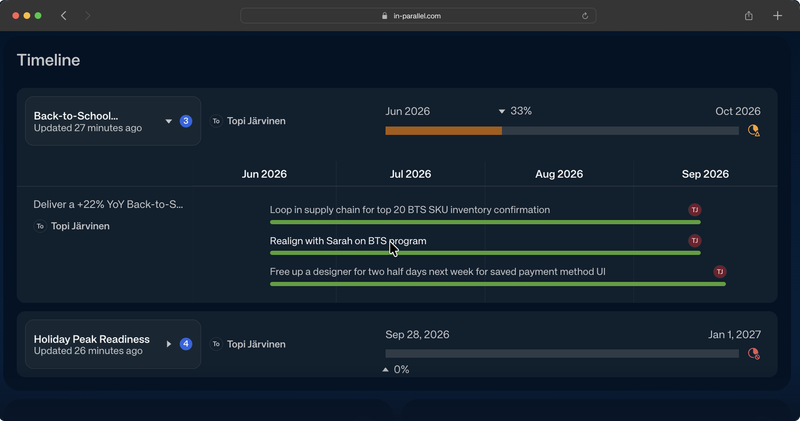
  • Timeline elements are now clickable — jump from a Gantt entry straight to the underlying workspace, observation, or meeting.
  • Meeting report action items are now grouped by owner, so it's clear at a glance who owns what coming out of a meeting.
  • More invited attendees are detected when calendar invites use group emails — meeting reports now reach the people who were actually there.
  • Observation titles and organization names are clickable in the changelog and changelog emails, so you can jump straight to the source.
  • The Publish button in the meeting report email now opens the Updates tab, where the changelog actually lives.
  • Publication rules are editable retroactively for older calendar events and meetings — the org-meeting mapping no longer drifts out of sync.
  • Observations now read more cleanly — sarcasm is filtered out and personal information is no longer surfaced in daily digests.
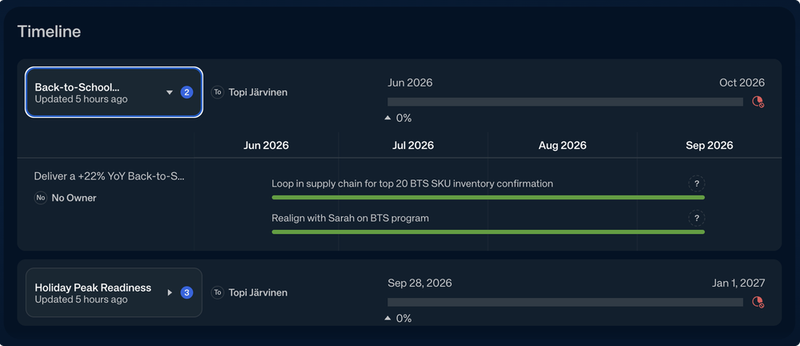
Clickable elements in a program timeline / Gantt view
Read the full update →

Meeting reports, changelog navigation, and reliability

This update tightens the everyday flow around meetings and the changelog, plus a round of UI polish and reliability fixes that should make several rough edges disappear.

Here's what's new and what it means for you:

Timeline — Click Through from Gantt

Clickable elements in a program timeline / Gantt view

Program timeline entries are now links. Each element on the Gantt now navigates straight to its underlying workspace or observation, so the timeline becomes a navigation surface rather than a static read-out — no more switching tabs to chase down what's behind a milestone. We also gave the widget itself a round of design polish this week (refined styling, a proper empty state).

Meeting Reports — Clearer Reports, Wider Reach

Meeting report action items grouped under each owner

Action items in meeting reports are now organized under each owner, instead of arriving as a flat list. Each person has their own sub-section, with an "Unassigned" group at the end for items still missing an owner. The same grouping appears both inside In Parallel and in the delivered email, so the report reads the same way wherever you open it.

Group-email invitees are now expanded across all calendar events for a meeting. Previously, an invite that listed `engineering@yourcompany.com` instead of individuals could leave the system without a clear list of attendees — so post-meeting reports might miss some of the people who were actually in the room. We now look across every calendar event linked to the meeting to recover the full list of internal participants.

Changelog — Clickable Titles, Right Tab on Open

Observation titles in the changelog are now links. Whether you're reviewing the changelog inline or in the modal, clicking an observation title takes you straight to that observation — no more copy-paste or hunting through workspaces.

Organization names in the changelog email are linked too. The "Changes in *[Org]*" header now links to the organization dashboard, both inside the app and in the Postmark-delivered email.

The Publish button in meeting report emails now opens the Updates tab. When a meeting report email arrives with pending changelog entries, clicking Publish used to drop you on the Notes tab — one click away from the actual changelog. The link now lands directly on Updates.

Publication rules can now be changed retroactively for older meetings. If you uncheck a publication target on a finished meeting and then re-check it, the org-meeting mapping and the changelog rule stay in sync. Previously they could drift apart, leaving older meetings with mismatched publication rules.

Settings, Goals, and Visual Polish

Personal settings tabs are reordered — Notifications, Integrations, Other (formerly "Preferences"). Notifications is the new default tab, since that's where most adjustments happen.

Goals show the year in Duration ranges — multi-year goals now read as `Jan 1, 2026 → Jan 23, 2027` instead of a year-less `Jan 1 → Jan 23`, so long-running initiatives are unambiguous.

Browser tab titles now reflect the page you're on. Observations, organization dashboards, execution plans, report documents, goals, and meetings all set context-aware titles, which makes life easier when you have many tabs open.

Smaller polish: the timezone selector in Settings now matches the theme selector visually; the widget creation modal pre-fills sensible default names; the OAuth consent screen has been redesigned for the new connect flow.

Cleaner Observations

Daily digests no longer surface personal information that doesn't belong there. We've also tuned the observation extraction prompts to filter out sarcasm — so observations read as factual statements rather than echoing the tone of an off-hand remark from a transcript.

Admin & Compliance

Tenant admins can now self-serve GDPR Article 15 (Subject Access Request) exports. A new admin-only UI generates per-tenant DSAR archives, so compliance requests no longer need engineering involvement. Available to designated admin users on each tenant.

Reliability

A round of fixes that affect background reliability rather than any single screen: zero-duration calendar entries can now be persisted as meetings; Google Calendar events that arrive without start/end times are also accepted (some calendar invites omit times entirely); ICS calendar invites in non-UTC timezones (Outlook, Google) parse correctly when arriving by email; the Zoom URL detector no longer mistakes static-asset URLs for join links, so dispatched bots reach the actual meeting; the changelog publish flow correctly creates publication rules for source meetings that were missing them; and meeting titles containing literal `*` or `_` characters render cleanly in the "summary couldn't be created" email instead of leaking markdown to recipients.

What We're Testing

These features are in early testing. Interested in trying any of them? Let us know — we'd love your feedback.

  • Slack channel subscriptions for Workspaces: Connect Slack channels to your Workspaces. In Parallel uses these channels as a source for observation extraction — decisions, action items, and updates from async conversations.
  • AI-tool integration API (MCP): Connect AI assistants and developer tools to your In Parallel data — meetings, action items, decisions, and execution plans — through the Model Context Protocol. The connect flow now uses a redesigned consent screen, and the foundation for write tools (action items first) is in development.

What's Next

We're actively working on:

  • Renewed Personal Dashboard: A redesigned Personal Dashboard that surfaces your highest-priority tasks and action items in a streamlined view, with a Daily Digest of execution priorities. The new UI scaffolding is in place; data wiring is the remaining step.
  • Slack and Teams channel observation capture: Automatic extraction of decisions, action items, and updates from connected Slack and Teams channels into Execution Memory. The channel connections are already live (see What We're Testing); extraction is next.
  • Observation freshness: A system to keep your Execution Memory current — surfacing stale or outdated observations so your execution plan reflects what's actually happening, not what happened months ago.
  • Write-capable MCP integrations: The MCP integration is moving beyond read-only access. Action item creation and updates are first in line, so connected AI tools can act on your execution data, not just observe it.

What else would you like to see improved? We'd love to hear your feedback.

24 April 2026

In Parallel Product Update 24.4.2026

  • The Program Timeline Widget is now available — add a cross-workspace project schedule to your dashboard, powered by your Living Execution Plans.
  • Observations can now be assigned to a Workspace after the fact — no need to catch every insight in the moment; you can organize and route them retroactively.
  • Meeting report emails now show times in each recipient's own timezone — no more mentally converting from the meeting organizer's location.
  • Editing tables in a team Execution Plan no longer corrupts the document.
  • Goal widgets now show goal data correctly.
Program Timeline Widget on a Workspace dashboard
Read the full update →
Program Timeline Widget on a Workspace dashboard

Timeline, organization, and reliability

This update brings a new way to visualize cross-workspace work, extends how you can organize observations, and resolves several reliability issues in meeting emails, execution plans, and goal widgets.

Program Timeline Widget

Timeline widget rolling up sub-Workspace projects

You can now add a Program Timeline widget to your dashboard. The timeline draws from your Living Execution Plans across Workspaces — showing project schedules, milestones, and progress in a visual Gantt-style view.

This is useful when you're tracking work that spans multiple teams or Workspaces: rather than opening each plan separately, the timeline widget puts the full cross-workspace picture in one place.

Assign observations to a Workspace after the fact

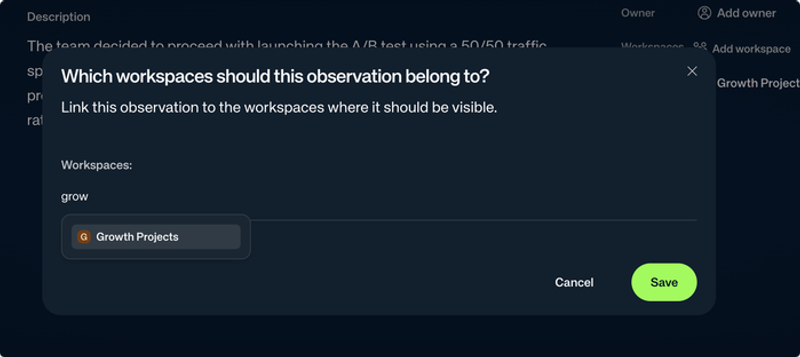
Workspace assignment modal on the observation details page

Observations can now be mapped to a Workspace at any time — not only when they are first captured. If an insight lands without a Workspace assignment, or if your team structure changes, you can now update the assignment directly from the observation view.

Meeting report emails in your timezone

Meeting report emails now display dates and times in each recipient's configured timezone. Previously, all recipients saw the same time — typically the meeting organizer's or calendar event's timezone. Each person now sees times that match their own preferences, without any configuration required.

Goal and execution plan improvements

Goal widgets now display goal data correctly. A recent change had caused goal data to stop rendering inside dashboard widgets; this is resolved.

Setting a new goal now defaults the unit to percentage rather than USD. Percentage is the more broadly applicable default for the kinds of goals most teams track in In Parallel.

Commitment observed reality values are fully restored. A regression had temporarily stopped observed reality from appearing on commitment items; this is fixed.

Execution plan and changelog reliability

Editing tables in a team Execution Plan no longer corrupts the document. A bug in how the editor's table format was converted to storage caused table cells to be flattened into plain text on save — the next edit would further mangle the layout. The underlying conversion is now correct; tables save and round-trip cleanly.

The changelog review flow now gracefully handles approving or rejecting an entry that was already processed. Previously, acting on a changelog suggestion that another team member had already approved or rejected could produce an error. The UI now handles this case silently.

Longer meeting reports

In Parallel can now capture longer meeting content without truncation. The maximum meeting report size has been increased from 10,000 to 15,000 characters, which means longer or more detailed meeting summaries, action item lists, and execution plan updates are captured in full.

Visual updates

Custom status and priority icons are now available, along with updated icons for goal states. Custom icons let you represent your team's specific status vocabulary — instead of relying on the default set, you can match the icons to your own process. The goal state icons have been refreshed for visual consistency across the product.

What We're Testing

Some features are available in early access. Reach out if you'd like to try them.

  • Slack channel subscriptions for Workspaces: Connect Slack channels to your Workspaces. In Parallel uses these channels as a source for observation extraction — decisions, action items, and updates from async conversations.
  • AI-tool integration API (MCP): Connect AI assistants and developer tools to your In Parallel data — meetings, action items, decisions, and execution plans — through the Model Context Protocol.

What's Next

We're actively working on:

  • Renewed Personal Dashboard: A redesigned Personal Dashboard that surfaces your highest-priority tasks and action items in a streamlined view — with a Daily Digest that summarizes your execution priorities each day.
  • Slack and Teams channel observation capture: Automatic extraction of decisions, action items, and updates from connected Slack and Teams channels into Execution Memory. The channel connections are already live (see What We're Testing); extraction follows.
  • Observation freshness: We're working on a system to keep your Execution Memory current — surfacing stale or outdated observations so your execution plan reflects what's actually happening, not what happened months ago.
  • MCP and third-party integrations: Integrations with email, Slack, and CRM tools to connect In Parallel to your existing workflows.

What else would you like to see improved? We'd love to hear your feedback.

17 April 2026

In Parallel Product Update 17.4.2026

  • "Organization", "Scope", and "Team" are now called Workspace everywhere in In Parallel — cleaner, more consistent language throughout the product.
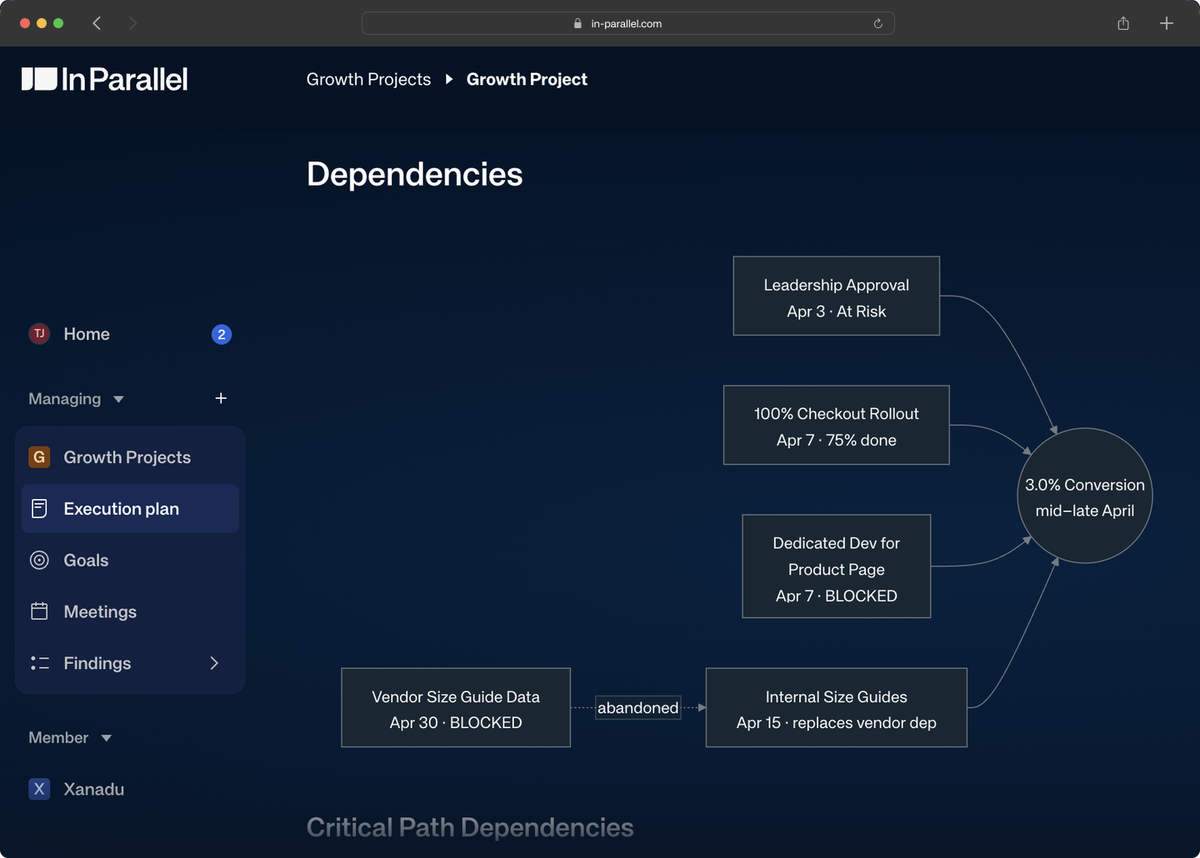
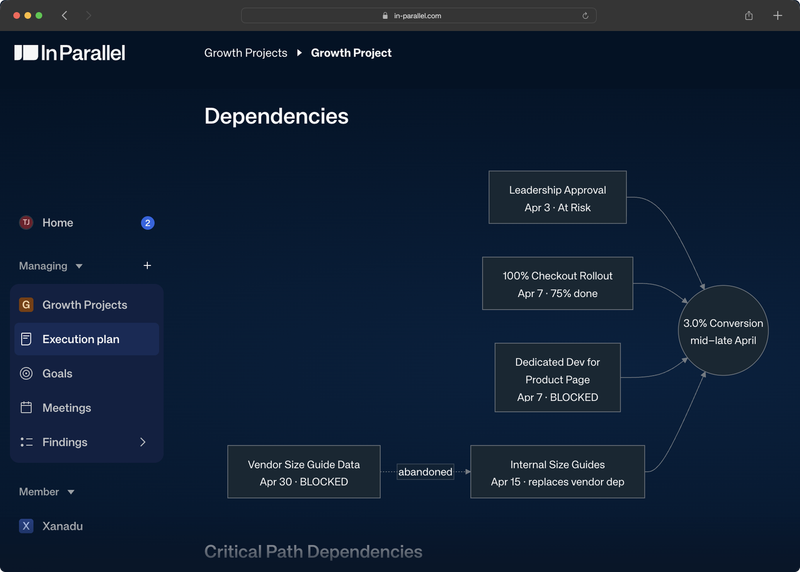
  • Mermaid diagrams are now supported in the editor — insert flowcharts and sequence diagrams with a `/mermaid` slash command.
  • Changelog review tasks now show which meeting they came from, so you always know the source of a suggested update.
  • Meeting report emails now reliably render bullet points, and the meeting list no longer drops events when you scroll.
Mermaid diagrams in Execution Plans
Read the full update →
Mermaid diagrams in Execution Plans

Workspaces, diagrams, and a cleaner review flow

This update brings a terminology change that touches the whole product, Mermaid diagram support in the editor, and several quality-of-life improvements to the changelog review workflow.

Everything is now a Workspace

"Organization", "Scope", and "Team" are now consistently called "Workspace" throughout In Parallel. The old mix of terms no longer reflected how customers think about their work. "Workspace" is a single, clear concept that covers all of these.

This is a rename, not a restructuring — your data, permissions, and structure remain exactly the same. You'll just see consistent language everywhere.

Flowcharts and diagrams in the editor

You can now insert Mermaid diagrams into documents using the `/mermaid` slash command or the bubble menu. Type Mermaid syntax — flowcharts, sequence diagrams, Gantt charts — and In Parallel renders it inline. Useful for capturing architecture decisions, process flows, or project timelines directly in meeting documents and execution plans.
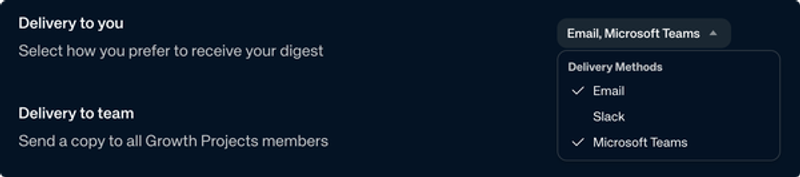
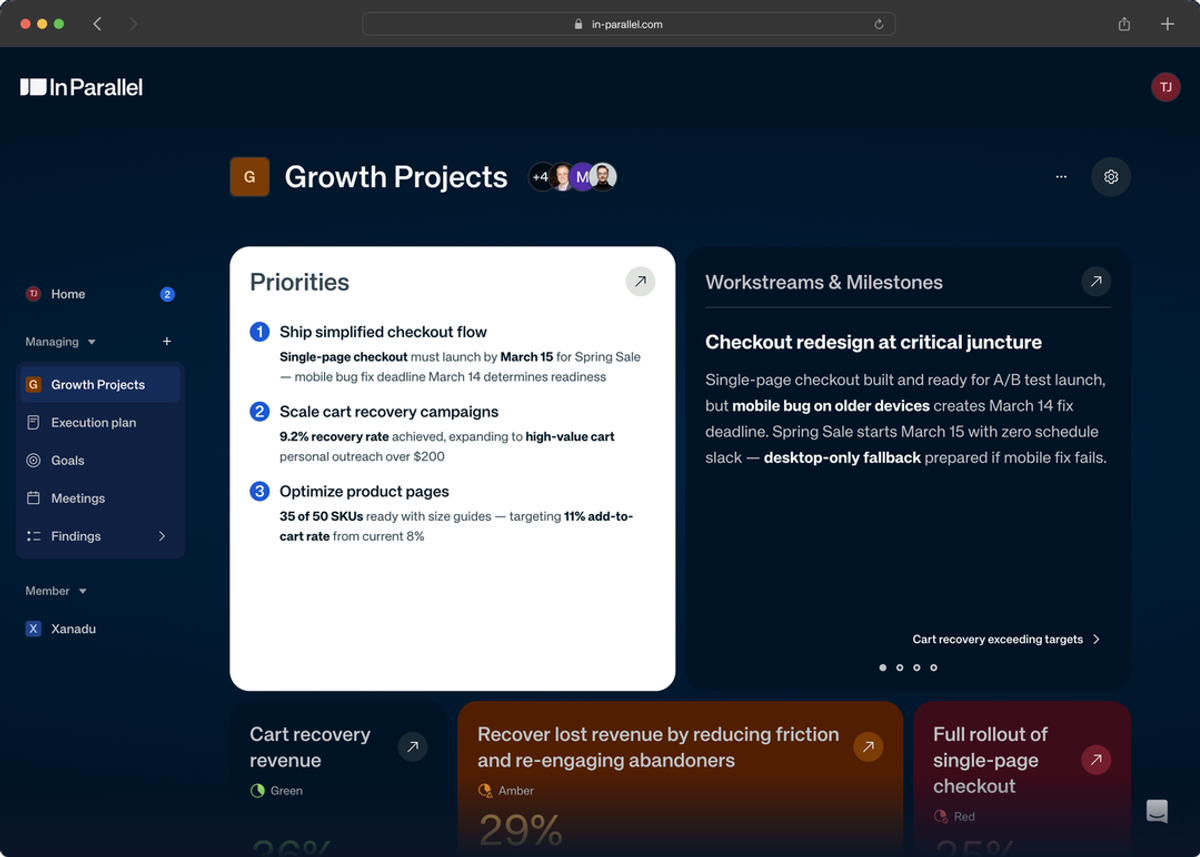
Mermaid diagram in an execution plan

Changelog review — know your source

Changelog review tasks now display the meeting that generated each suggested update. When you see a "Publish changes to Marketing" task or similar, you'll find a description line showing the source meeting name and date — for example, "From: Weekly Product Review (7 Apr)". This makes it easier to verify context before approving a changelog update, especially when multiple meetings have generated pending suggestions.

Also in this area: you can now approve changelog updates without needing to complete a to-do item first, removing a friction point in the review flow.

Dashboard and reliability improvements

Dashboard widget cards now align content consistently, with cleaner layout and more concise placeholder copy for empty states.

Meeting report emails now render bullet points reliably. The AI occasionally generated non-standard bullet characters that some email clients rendered as inline text rather than separate list items. This is fixed — bullets in meeting summaries, action items, and decisions will display as intended.

The meeting list no longer drops events when paginating. Scrolling through a long list of meetings previously caused some events to be skipped. This is resolved.

The AI model powering meeting reports and execution planning has been upgraded to the latest available version. You should see improved quality and consistency in AI-generated reports, execution plans, and changelog suggestions with no change to how you use the product.

What We're Testing

Some of these features are available in early access. Reach out if you'd like to try them.

  • Slack channel subscriptions for Workspaces: Connect Slack channels to your Workspaces. In Parallel uses these channels as a source for observation extraction — decisions, action items, and updates from async conversations.
  • AI-tool integration API (MCP): Connect AI assistants and developer tools to your In Parallel data — meetings, action items, decisions, and execution plans — through the Model Context Protocol. Tool descriptions and output schemas have been improved this release to make it easier for AI agents to navigate and use the API.

What's Next

We're actively working on:

  • Renewed Personal Dashboard: A redesigned Personal Dashboard that surfaces your highest-priority tasks and action items in a streamlined view — with a Daily Digest that summarizes your execution priorities each day.
  • Program Timeline Widget: A visual timeline on your dashboard showing cross-workspace project schedules and milestones, powered by your Living Execution Plan.
  • Slack and Teams channel observation capture: Automatic extraction of decisions, action items, and updates from connected Slack and Teams channels into Execution Memory. The channel connections are already live (see What We're Testing); extraction follows.
  • Observation freshness: We're working on a system to keep your Execution Memory current — surfacing stale or outdated observations so your execution plan reflects what's actually happening, not what happened six weeks ago.
  • MCP and third-party integrations: Integrations with email, Slack, and CRM tools to connect In Parallel to your existing workflows.

What else would you like to see improved? We'd love to hear your feedback.

10 April 2026

In Parallel Product Update 10.4.2026

  • Copy your meeting reports in rich text — paste directly into Google Docs, Gmail, or any document with full formatting.
  • See who actually joined each meeting with new "Joined" and "Didn't Join" indicators on the meeting page.
  • Auto-publish now only shows Execution Scopes you own, only triggers on recurring meetings, and you can opt out per source.
  • If a meeting isn't captured, you get a clear notification email instead of silence.
Meeting page with Copy notes button and meeting details sidebar
Read the full update →
Meeting page with Copy notes button and meeting details sidebar

Copy, share, and a more informative meeting page

This update is about making your meeting output easier to use outside In Parallel — and giving you more visibility into what happened in each meeting.

Here's what's new:

Copy meeting reports in rich text

Copy notes button on meeting page

Paste your meeting summary into Google Docs, Gmail, or any editor — and keep the formatting. When you copy a meeting report, In Parallel now produces rich text that preserves headings, bullet points, status labels, and mentions. If you paste into a tool that only supports plain text (like some IDEs), you get clean Markdown instead. Status labels with special characters — like "Discussed — no decision" — now render correctly in both formats.

Joined or Didn't Join — attendee status at a glance

Meeting details sidebar with participants

Each meeting now shows whether attendees actually joined. The meeting page displays "Joined" and "Didn't Join" indicators for every invited participant, including people who joined without being invited. The meeting properties sidebar has also been refined with improved spacing and layout. The Notes tab also got a quality-of-life update: it now shows a clear "No notes yet" message instead of appearing blank when there is no report or agenda description.

Auto-publish — more control, less noise

Auto-publish now only shows Execution Scopes you own, and the publish modal only appears for recurring meetings — so you won't be prompted for one-off calls. If you want to opt out of auto-publish for a specific meeting series, a new "Never for this source" action lets you do exactly that. Future meetings from that source won't trigger auto-publish suggestions.

Changelog review — jump back to the source

Changelog review now includes a direct link to the source meeting. When reviewing proposed updates, you can click through to the meeting that generated them — making it easier to verify context before approving. Modal spacing and visual consistency have also been improved.

Calendar and reliability improvements

Calendar syncing is faster and handles larger calendars. Pagination limits have been increased so that calendars with many events sync completely. The OAuth connection flow is also smoother — after granting access, your calendar appears faster instead of showing a loading state.

If a meeting isn't captured, you now get a clear email notification explaining that no transcript was recorded — instead of receiving a blank or hallucinated report. This helps you know immediately when something went wrong, so you can take your own notes.

Microsoft Teams messages from In Parallel are now labeled as AI-generated, meeting Microsoft's content annotation requirements for bot implementations.

What We're Testing

These features are in early testing. Interested in trying any of them? Let us know — we'd love your feedback.

  • Slack channel subscriptions for Execution Scopes: You can now connect Slack channels to your Execution Scopes. In Parallel will use these channels as a source for observation extraction — decisions, action items, and updates from async conversations will flow into Execution Memory. The subscription management is ready; automatic extraction is coming next.
  • AI-tool integration API (MCP): A new API layer lets AI assistants and developer tools query your In Parallel data — organizations, meetings, action items, decisions, and execution plans — through the Model Context Protocol. We believe the best prompt is a great conversation with colleagues, and finding consensus. This can be used for producing the easiest and most valuable QBR reports, insights for sales improvement, and roadmap in an instant. Stay tuned for updates.

What's Next

We're actively working on:

  • Slack and Teams channel observation capture: You can now connect Slack channels to your Execution Scopes (see above). Next: In Parallel will automatically extract observations from those channels — decisions, action items, and updates from async conversations will flow into Execution Memory. Teams channel support follows.
  • Program Timeline Widget: A visual program timeline on your dashboard showing cross-team project schedules and milestones, powered by your Living Execution Plan.
  • Renewed Personal Dashboard: A redesigned Personal Dashboard that surfaces your priorities and action items in a streamlined, priority-driven view — with a Daily Digest powered by your execution priorities.
  • MCP and third-party integrations: The MCP infrastructure shipped this release (see What We're Testing). Next: integrations with email, Slack, and CRM tools that let you connect In Parallel to your existing workflow.
  • Transcriber reliability improvements: Better join reliability, speaker diarization accuracy, transcript downloads, and customer-specific branding on the meeting notetaker.

What else would you like to see improved? We'd love to hear your feedback.

1 April 2026

In Parallel Product Update 1.4.2026

  • Approve once, then it's automatic — after you review your first changelog from a recurring meeting, future meetings in the same series connect to the right scope automatically.
  • Review AI-captured observations before they enter your plan — approve or reject each one individually from the meeting page or your Personal Dashboard.
  • A redesigned meeting page with a new properties sidebar, "Publish to" scope assignment, and changelog review built right in.
  • Organization owners get personalized meeting report emails with a changelog summary.
  • Team Digests can now be delivered via Microsoft Teams.
  • New setting: control whether the Transcriber joins internal meetings, external meetings, or both.
Meeting detail page with properties sidebar and summary
Read the full update →
Meeting detail page with properties sidebar and summary

Approve once, then it's automatic — changelog review and a redesigned meeting page

This is one of the most-requested changes we've shipped: your meetings now connect to the right Execution Scope — regardless of who organized them. No more losing meeting output because a colleague, a room calendar, or an external contact sent the invite.

The first time a recurring meeting generates observations, you review and approve them. After that, In Parallel remembers your choice — future meetings in the same series are automatically connected to the right scope. You can also set this up in advance using the "Publish to" control on any meeting page.

Here's what's new:

Meeting-to-scope connection — approve once, automatic from there

After each meeting, In Parallel creates a changelog for every Execution Scope you own. You review the observations and approve or reject them. When you approve, In Parallel creates a rule linking that recurring meeting series to the scope. Future meetings in the same series are automatically associated — no repeated mapping needed.

This works regardless of who organized the meeting — shared room calendars, colleagues, or external contacts. The old "Map meeting to organization" tasks are gone; changelog rules replace them entirely. You can also set this up proactively using the Publish to control on the meeting page.

Changelog review — you decide what enters your plan

After each meeting, In Parallel creates a changelog — a batch of proposed updates (decisions, actions, risks, and other observations) extracted from the conversation. You review each observation and approve or reject it individually. Only approved items become Findings in your Living Execution Plan.

You can review changelogs in two places:

  • From the meeting page — open the meeting and review observations in context, right alongside the meeting summary.
  • From your Personal Dashboard — a To-Do task lists your pending changelogs.
Changelog review — approve or reject observations before they enter your plan

When you approve a changelog, In Parallel automatically updates your Living Execution Plan — no manual replanning needed.

Your meeting details, at a glance

The meeting page has a new properties sidebar showing at a glance:

  • Date and time, participants, and the source Routine (if it's a recurring meeting)
  • Publish to — see which Execution Scopes this meeting is connected to, and change it if needed
  • Capture actions — Transcriber controls

The old "Change team" action is replaced by the more visible Publish to control. A new join banner shows when a meeting is starting soon, with a progress bar and a join + copy link button.

Publish to — link a meeting to one or more Execution Scopes

Personalized meeting report emails

Organization owners now get a personalized version of the meeting report email. If your meeting generated changelogs, your email includes changelog cards showing the organization name, a description of proposed updates, the number of observations, and a direct link to review them. Other participants receive the standard meeting report.

Personalized meeting report email with changelog card

Team Digest via Microsoft Teams

Your team Digest can now be delivered through Microsoft Teams. Organization owners can configure Teams as the delivery channel in their Digest settings — the same execution summary you get via email, now delivered where your team already works.

Teams delivery option in Digest settings

Control which meetings the Transcriber joins

Choose whether the Transcriber joins internal meetings, external meetings, or both. A new setting in your preferences lets you control the bot's behavior based on who's in the meeting. Internal meetings are those where all attendees belong to your organization; external meetings include at least one outside participant. The setting applies to all your future calendar events — existing events keep their current state.

What We're Testing

These features are in early testing. Interested in trying any of them? Let us know — we'd love your feedback.

  • "How We Work" tab in team settings: A new editable tab in your Execution Scope settings where you can describe how your team operates — working agreements, communication norms, decision-making processes. The AI uses this context to create more relevant plans for your team.
  • Slack observation extraction: In Parallel is building the ability to extract observations from Slack channels. The database schema is in place — extraction and channel-to-scope mapping are next.

What's Next

We're actively working on:

  • Slack and Teams channel observation capture: In Parallel will soon extract observations from your Slack and Teams channels — decisions, action items, and updates from async conversations will flow into Execution Memory automatically. The database schema is in place; extraction and channel-to-scope mapping are next.
  • Personalized meeting summaries: Post-meeting reports tailored per recipient — each person gets a summary focused on what's relevant to them.
  • Onboarding improvements: A smoother first-run experience that gets you to your Personal Dashboard faster, with less setup friction.

What else would you like to see improved? We'd love to hear your feedback.

27 March 2026

In Parallel Product Update 27.3.2026

  • Your Living Execution Plan now tracks goal health changes — see when and why a goal's status shifted.
  • Outlook calendar event series deletion is now handled correctly — no more ghost events after cancelling a series.
  • Our Knowledge Base at support.in-parallel.com has guides and answers for common questions — and we're always a call away.
Hero
Read the full update →
Hero

Goal health tracking, calendar reliability, and an updated Help Center

A focused update this week: your Living Execution Plan gets smarter about tracking goal health, Outlook calendar handling gets more robust, and our Knowledge Base catches up with recent changes.

Here's what's new:

Living Execution Plan — Goal Health Tracking

See when and why your goals change status. When the AI updates a goal's health status based on meeting observations, the Living Execution Plan now records a state change event. You can click the event to see the execution plan update that triggered the change — making it easy to trace a goal's trajectory back to the conversation that influenced it.

Goal health state event

Reliability & Fixes

Outlook event series deletion now works correctly. When you delete an entire recurring event series in Outlook, In Parallel previously couldn't detect that individual occurrences should be removed — the Microsoft Graph API only reports the master event deletion, not each occurrence. We now trigger a full calendar sync when any event deletion is detected, ensuring your calendar stays clean and accurate.

Knowledge Base — Answers When You Need Them

Did you know we have a help center? Our Knowledge Base at support.in-parallel.com covers how-to guides, feature walkthroughs, and common questions — it's a great place to explore at your own pace. That said, we always love hearing from you directly. If you have a question or want to talk through anything, don't hesitate to reach out — a quick call or message is always welcome.

What We're Testing

These features are in early testing. Interested in trying any of them? Let us know — we'd love your feedback.

  • "How We Work" tab in team settings: A new editable tab in your Execution Scope settings where you can describe how your team operates — working agreements, communication norms, decision-making processes. The AI uses this context to generate more relevant meeting summaries and observations.
  • Changelog auto-approve rules: Set rules for which meeting changelogs are automatically approved or rejected for each of your Execution Scopes. Rules are based on recurring meeting patterns — once set, the right meetings flow into the right scopes without manual approval each time.

What's Next

We're actively working on:

  • Changelog review — you decide what enters Execution Memory: The core is live: changelogs arrive as To-Do tasks for you to review, approve, or reject before Findings enter your Execution Scope. Coming next: auto-approve rules based on recurring meeting patterns, and inline changelog display on the meeting details page — so you can review without leaving the meeting view.
  • Meeting-to-scope association via rules: Instead of manually mapping meetings to an Execution Scope, rules you set up in your changelog will automatically associate the right meetings. This is in final review and close to shipping.
  • Slack and Teams channel observation capture: In Parallel will soon extract observations from your Slack and Teams channels in real time — decisions, action items, and updates that happen in async conversations will flow into Execution Memory automatically. The event ingestion pipeline is built; extraction and channel-to-scope mapping are next.
  • Personalized meeting summaries: Post-meeting reports tailored per recipient — each person gets a summary focused on what's relevant to them.
  • Onboarding improvements: A smoother first-run experience that gets you to your Personal Dashboard faster, with less setup friction. Design work is underway.

What else would you like to see improved? We'd love to hear your feedback.

25 March 2026

In Parallel Product Update 25.3.2026

  • Your Living Execution Plan now tracks goal health changes — see when and why a goal's status shifted.
  • Outlook calendar event series deletion is now handled correctly — no more ghost events after cancelling a series.
Hero
Read the full update →
Hero

Goal health tracking and calendar reliability

A focused update this week: your Living Execution Plan gets smarter about tracking goal health, and Outlook calendar handling gets more robust.

Here's what's new:

Living Execution Plan — Goal Health Tracking

See when and why your goals change status. When the AI updates a goal's health status based on meeting observations, the Living Execution Plan now records a state change event. You can click the event to see the execution plan update that triggered the change — making it easy to trace a goal's trajectory back to the conversation that influenced it.

Goal health state event

Reliability & Fixes

Outlook event series deletion now works correctly. When you delete an entire recurring event series in Outlook, In Parallel previously couldn't detect that individual occurrences should be removed — the Microsoft Graph API only reports the master event deletion, not each occurrence. We now trigger a full calendar sync when any event deletion is detected, ensuring your calendar stays clean and accurate.

What We're Testing

These features are in early testing. Interested in trying any of them? Let us know — we'd love your feedback.

  • "How We Work" tab in team settings: A new editable tab in your Execution Scope settings where you can describe how your team operates — working agreements, communication norms, decision-making processes. The AI uses this context to generate more relevant meeting summaries and observations.
  • Changelog auto-approve rules: Set rules for which meeting changelogs are automatically approved or rejected for each of your Execution Scopes. Rules are based on recurring meeting patterns — once set, the right meetings flow into the right scopes without manual approval each time.

What's Next

We're actively working on:

  • Changelog review — you decide what enters Execution Memory: Changelogs will require your approval before Findings enter your Execution Scope. Each changelog arrives as a To-Do task — you review, approve, or reject observations. Changelogs will be generated for every scope you own, filtered by relevance, whether or not the meeting was mapped.
  • Slack and Teams channel observation capture: In Parallel will soon extract observations from your Slack and Teams channels in real time — decisions, action items, and updates that happen in async conversations will flow into Execution Memory automatically.
  • Personalized meeting summaries: Post-meeting reports tailored per recipient — each person gets a summary focused on what's relevant to them.
  • Meeting report visual polish: Status badges and mention pills in meeting reports, making action items and people references easier to scan at a glance.
  • Onboarding improvements: A smoother first-run experience that gets you to your Personal Dashboard faster, with less setup friction.
  • Meeting-to-scope association via rules: Instead of manually mapping meetings to an Execution Scope, rules you set up in your changelog will automatically associate the right meetings.

What else would you like to see improved? We'd love to hear your feedback.

20 March 2026

In Parallel Product Update 20.3.2026

  • Meeting report delivery is now configurable per user — choose who receives reports and how from your personal settings.
  • A new copy button on meeting reports lets you share the Snapshot section with one click.
  • Digest emails now have a clearer subject line: "Digest: Team Name, Date."
Read the full update →

Meeting report controls, cleaner Digests, and reliability fixes

This week gives you control over meeting report delivery and sharing, plus a cleaner Digest format and a wide range of UI and calendar fixes.

Here's what's new and what it means for you:

Meeting Reports — Personal Settings & Easy Sharing

Control who receives your meeting reports. A new Notifications tab in your personal settings lets you configure meeting report delivery. As a meeting organizer, you can choose whether reports go to just you, all internal attendees, or everyone. As a participant, you can opt in or out of receiving reports from meetings you attend. These settings affect only the email delivery — report data is still captured for everyone.

Copy meeting reports to your clipboard with one click. A new copy button appears next to the "Snapshot" heading on meeting reports. Click it to copy the report content as markdown — ready to paste into an email, Slack message, or document.

Digests — Clearer Subject Line

Digest emails and Slack notifications now use a clearer subject format. The subject line has been updated from "Team Name: Date, Time" to "Digest: Team Name, Date" — making it easier to identify Digests in your inbox at a glance.

Reliability & Fixes

Meeting breadcrumbs now show the actual meeting name as a clickable link. Previously, meeting breadcrumbs displayed generic "Meeting" text that wasn't clickable. They now show the meeting's name and link back to the meeting page.

Mentions in your Living Execution Plan and meeting reports stay current. When you renamed an observation or other object, mentions in documents would still show the old name until a hard refresh. Mentions now display the current title automatically.

Deleting a goal immediately removes it from the list. A caching issue could cause deleted goals to reappear in the goals list until a page refresh. Fixed — deletions now take effect instantly.

Observation descriptions now render correctly. Some observation descriptions appeared as raw markup instead of formatted text when viewed outside the editor. These now display as properly formatted text.

Observation links navigate to the correct context. Clicking an observation mention now takes you to the right place — the organization view or the meeting view — depending on where the observation was captured.

Editing a meeting report now updates your organization's glossary. A missing link between meeting reports and organizations meant glossary terms from edited reports weren't captured. This is now fixed — terms from your report edits flow into the glossary automatically.

Transcriber correctly selects the right calendar event. When the same meeting existed across multiple calendars, the Transcriber could pick one without a meeting URL and fail to join. It now only uses calendar events that have a valid meeting URL.

Outlook recurring meeting exceptions keep their correct details. A bug was incorrectly overwriting exception event details (like changed time or location) with the master series values. Fixed — each occurrence now retains its own details.

Transcriber respects your opt-out preference. If you had previously opted out of the Transcriber joining a specific meeting, the preference wasn't always carried forward to future occurrences. This is now respected consistently.

Teams bot authentication works reliably across organizations. Cross-tenant authentication for the Teams bot has been improved — users in organizations that haven't granted admin consent can now complete the sign-in flow directly from Teams.

What's Next

We're actively working on:

  • Changelog review — you decide what enters Execution Memory: Changelogs will require your approval before Findings enter your Execution Scope. Each changelog arrives as a To-Do task — you review, approve, or reject observations. Changelogs will be generated for every scope you own, filtered by relevance, whether or not the meeting was mapped.
  • Slack and Teams channel observation capture: In Parallel will soon extract observations from your Slack and Teams channels in real time — decisions, action items, and updates that happen in async conversations will flow into Execution Memory automatically.
  • Personalized meeting summaries: Post-meeting reports tailored per recipient — each person gets a summary focused on what's relevant to them.
  • Meeting report visual polish: Status badges and mention pills in meeting reports, making action items and people references easier to scan at a glance.
  • Onboarding improvements: A smoother first-run experience that gets you to your Personal Dashboard faster, with less setup friction.
  • Outlook calendar event handling improvements: Better detection of recurring event changes, including deleted occurrences when a series end date changes.
  • Meeting-to-scope association via rules: Instead of manually mapping meetings to an Execution Scope, rules you set up in your changelog will automatically associate the right meetings.

What else would you like to see improved? We'd love to hear your feedback.

12 March 2026

In Parallel Product Update 13.3.2026

  • Meeting reports now include Findings from every meeting — even those not mapped to an Execution Scope.
  • Goals automatically show a health assessment based on real progress against commitments.
  • Digest settings labels are clearer: "Delivery to you" and "Delivery to team" replace the old wording.
  • Recurring meeting email reminders have been quieted — no more repeated nudges about meeting mapping.
  • Observation links now work correctly across all Execution Scopes.
Read the full update →

Smarter observations, healthier goals, and less noise

This week's update strengthens two core parts of Execution Memory: how Findings flow from meetings into your workspace, and how goals reflect reality. We've also cleaned up a few rough edges in Digests and notifications.

Here's what's new and what it means for you:

Meeting Reports & Observations — Findings from Every Meeting

Your meeting reports now include Findings regardless of scope mapping. Previously, Findings were only extracted when a meeting was mapped to an Execution Scope. Now, In Parallel captures Findings from every meeting — mapped or not — and includes them in your post-meeting report email. If you hold cross-team syncs or ad-hoc calls that weren't mapped to a specific scope, you'll still get the key observations surfaced automatically.

Report emails consistently include all Findings. A gap in the report email pipeline meant some meetings would arrive without their Findings section. We've resolved this — every report email now includes the full set of observations, giving you a complete picture right in your inbox.

Goals — Automated Health Assessment

Goals now show an automated health status based on real progress. In Parallel evaluates each goal's commitments against observed reality — timeline, progress score, ownership, and activity — and assigns a health indicator (green, amber, or red). This assessment appears alongside your goal's progress, so you can spot at-risk commitments before they become surprises. The assessment updates automatically as new data comes in from meetings and plan updates.

Digests — Clearer Settings Labels

Digest delivery settings now use clearer labels. We've renamed "Delivery method" to "Delivery to you" and "Share with the team" to "Delivery to team." The settings work exactly as before — this is purely a clarity improvement based on customer feedback that the old labels were confusing.

Reliability & Fixes

No more repeated email reminders about meeting mapping. Some users were receiving recurring email notifications prompting them to map meetings to an Execution Scope. These have been disabled while we build a smarter notification system that only triggers when it's genuinely useful.

Observation links now work correctly for unmapped organizations. When an Observation was linked to an object without a mapped organization, the link could break or point nowhere. We've fixed this — all Observation links now resolve correctly regardless of organization mapping status.

What's Next

We're actively working on:

  • Meeting report visual polish: Status badges and mention pills are coming to meeting reports, making action items and people references easier to scan at a glance.
  • Observation import controls: A new interface will let you review and selectively approve Findings before they flow into your Execution Scope — more control over what enters your Execution Memory.
  • Personalized meeting summaries: Post-meeting email reports will soon be tailored per recipient — each person gets a summary focused on what's relevant to them.
  • Onboarding improvements: A smoother first-run experience that gets you to your Personal Dashboard faster, with less setup friction.

What else would you like to see improved? We'd love to hear your feedback.

6 March 2026

In Parallel Product Update 6.3.2026

  • Meeting reports are now editable — fix a summary or add context directly in In Parallel.
  • A refreshed email template makes delivered meeting reports cleaner and more professional.
  • Breadcrumbs now track your full navigation path, including parent Execution Scopes and where you came from.
  • The Findings widget now links directly to your full Findings list.
  • The Findings widget no longer freezes — a production reliability fix.
  • Your Personal Dashboard no longer shows task clutter from features not yet active in your workspace.
  • Organization ownership can now only be reassigned by the current owner.
Read the full update →

Editable reports, smarter navigation, and a wave of reliability fixes

This week brings one of the most-requested improvements to meeting reports: the ability to edit them. Alongside it, navigation breadcrumbs get a significant upgrade, Findings become easier to reach, and a handful of production issues are resolved.

Here's what's new and what it means for you:

Meeting Reports — Now Editable

You can now edit your meeting report directly in In Parallel. After a meeting, if the summary missed something or phrased an action item incorrectly, you can fix it on the spot — without leaving the platform. Reports are no longer read-only outputs; they're live documents you can refine. This applies to new reports and all existing ones.

The meeting report email has been redesigned. The new email template delivers your post-meeting report in a cleaner, more professional format. Meeting metadata is now handled by the delivery layer rather than being embedded in the report body — reports look consistent both in the product and in email.

Navigation — Breadcrumbs Track Where You've Been

Breadcrumbs now appear on all pages and remember your path. When you navigate to a goal from your Personal Dashboard or drill into a sub-scope, the breadcrumb trail shows exactly where you came from — "Home", "My goals", or the parent Execution Scope — and lets you step back in one click.

The sidebar and breadcrumbs stay in sync. When you follow a breadcrumb link, the left nav expands to reflect the correct scope. Choosing a top-level scope from the Managing menu resets the trail cleanly, so your breadcrumbs always reflect where you actually are.

Findings — Quicker to Navigate

The Findings widget now links directly to your full Findings list. The same arrow-link that goal and report widgets have always had is now on the Findings widget too — one click takes you straight to the full Findings view for that scope.

Findings filtering is cleaner out of the box. The status filter now defaults to the first status on load (e.g. Backlog or Proposed) rather than showing everything at once. Selected tags are also clearly highlighted in light mode, so it's easier to see what filters are active.

Reliability & Fixes

The Findings widget no longer freezes. A production issue caused the Findings widget to enter an infinite render loop whenever the timeframe filter was active. This has been resolved — the widget now responds correctly to filter changes without locking up the dashboard.

Integration authentication is more reliable. A case sensitivity issue in OAuth callback handling could prevent some users from completing integration connections (such as calendar or Microsoft Teams). This has been fixed.

Personal Dashboard no longer shows unrelated task clutter. Tasks related to upcoming features not yet enabled in your workspace were incorrectly appearing on the Personal Dashboard. These are now hidden until the relevant feature is active for your organization.

Organization ownership changes are restricted to the current owner. Previously, any member could reassign organization ownership. Only the current owner can now make that change — though any member can still assign an owner when the organization has none.

What's Next

We're actively working on next:

  • Navigation polish: Final refinements to the navigation active state, spacing, and vertical anchoring — making the nav feel solid and predictable across all pages.
  • Personalized meeting summaries: Post-meeting email reports will soon be personalized per recipient — each person gets a summary tailored to what's relevant to them from the meeting.
  • Dashboard clarity: Simplifying the dashboard to follow the "3–5 second rule" — you should be able to understand your team's status at a glance.
  • Teams app store listing: With SSO and interactive commands live, the Teams app store submission is our next milestone.

What else would you like to see improved? We'd love to hear your feedback.