How AI-Powered Workflows Become a Competitive Advantage
Most companies talk about “using AI”, but only a few turn it into real, repeatable impact. The difference? Workflows, not models.

McKinsey recently argued that the real promise of AI isn’t in isolated use cases, but in redesigning entire workflows around AI, from the first trigger to the final outcome. In other words: the race isn’t “who has the best model,” it’s who can rewire how work flows using AI, and make that scale.
AI isn’t the Advantage. The Workflow is
McKinsey recently argued that the real promise of AI isn’t in isolated use cases, but in redesigning entire workflows around AI, from the first trigger to the final outcome. They highlight companies that don’t just plug in models; they rebuild core journeys so AI, data, and people work as one system. (McKinsey, Transforming the enterprise through AI-powered workflows)
In other words: the race isn’t “who has the best model,” it’s who can rewire how work flows using AI, and make that scale.
That’s where AI-powered workflows come in. Not as a slide in a strategy deck, but as an operating property of how programmes and projects run.
McKinsey describes this at the enterprise level:
- Customer and internal journeys redesigned end-to-end, not just patched with bots and scripts (McKinsey, AI-powered workflows)
- Cross-functional teams formed around workflows instead of departments
- AI placed where it can change throughput, quality, and decision speed, not just “add a feature”
Underneath all of that is the same idea: workflow velocity, how quickly a company can go from signal → decision → coordinated action → measurable improvement.
Traditional focus:
“Did we implement AI in some places?”
Modern competitive focus:
“Did we redesign the way work flows, and did it change outcomes?”
Enterprise-level transformation depends on team-level workflows. If teams still manage work in silos and meetings, “AI transformation” is an illusion.
Why AI-Powered Workflows Matter More Than Tools
When you look at the examples in the McKinsey piece, none of the winning companies are just “deploying more AI tools.” They:
- Start from workflows, not models – they map critical journeys (e.g., lead-to-cash, incident-to-resolution) and ask: where can AI reshape effort, quality, or speed? (McKinsey, AI-powered workflows)
- Instrument work to create data – every interaction, handoff, and exception becomes a signal that improves the system, not just a one-off case.
- Design for scale from day one – data, integration, and governance are baked in, so pilots become platforms instead of dead ends.
At the programme and portfolio level, this shows up as a simple shift:
Not:
“We added a few AI assistants to our tools.”
But:
“We rebuilt the way work flows, and we can see the impact in cycle time, quality, and cost.”
Teams operating in AI-powered workflows:
- See the same work — human tasks, automations, and AI agents — in one coherent view.
- Know which parts of the flow are constrained, because metrics are tied to the workflow, not to the tool.
- Adjust governance and roles as AI takes over repeatable steps and humans move up the stack.
In an environment where competitors can buy similar models and infrastructure, the differentiator isn’t “who has AI.” It’s who can embed AI into workflows in a way that compounds over time.
The Cost of Treating AI as an Add-On
McKinsey is blunt: most organisations are stuck in “pilot land.” They run AI proofs of concept, see local wins, but fail to convert them into system-level change. (McKinsey, AI-powered workflows)
Inside programmes and project portfolios, that looks like:
-
Islands of automation One team automates ticket triage, another builds a smart assistant, a third plays with forecast models, none of it changes the end-to-end journey.
-
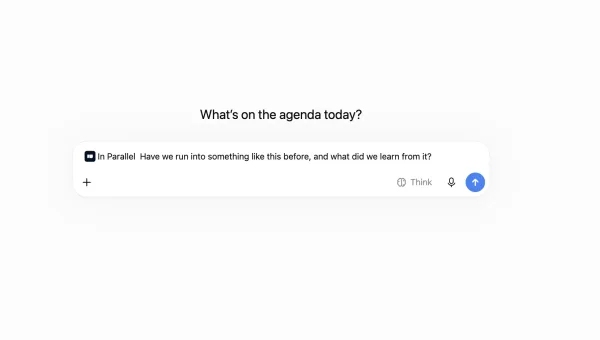
Repeated discovery Different teams solve the same problem multiple times because there’s no shared workflow model or memory of what already works.
-
Governance whiplash Risk, compliance, and security come in late, after dozens of local experiments, forcing costly rework or shutdowns.
-
Busy work masquerading as progress Dashboards multiply, vendors are evaluated, demos are held, but cycle times, error rates, and customer experience barely move.
From the outside, this looks like a company “investing heavily in AI.” From the inside, it often feels like high motion, low movement.
The root cause is the same: workflows were never redesigned. AI was poured on top of legacy ways of working, so the organisation simply got faster at doing work the old way.
How Teams Design for AI-Powered Workflows
McKinsey’s message to leaders is clear: don’t just sprinkle AI on existing processes, start from the workflow. (McKinsey, AI-powered workflows)
At the team and programme level, that “design” is very concrete.
1. Start from real journeys
High-leverage teams begin by mapping the flows that actually matter:
- How incidents move from detection → triage → resolution
- How ideas move from discovery → prioritisation → build → launch
- How customer requests move from first contact → answer → follow-up
They identify steps that are:
- Repetitive and structured → candidates for automation or AI agents
- Judgment-heavy → candidates for AI-assisted decision support
- Bottlenecks or risk hot-spots → candidates for better data and visibility
The output is a workflow map, not a backlog of “AI features.”
2. Place AI where it changes the curve
AI is most valuable where it can meaningfully bend the curve on:
- Throughput (more cases handled per person)
- Latency (faster time from trigger to resolution)
- Quality (fewer defects, better decisions)
Examples:
- Classifying and routing work so experts see only high-value cases
- Drafting responses, plans, or documents that humans refine instead of create from scratch
- Surfacing anomalies and risks earlier based on patterns in historical data
The principle: start where AI shifts outcomes, not just where it looks impressive.
3. Wire feedback loops into the workflow
An AI-powered workflow doesn’t stop at “automation.” It learns.
Teams that get compounding returns:
- Capture outcomes and feedback automatically (e.g., resolution success, rework, escalations).
- Use those signals to retrain models or adjust rules.
- Keep human overrides visible so the system can learn from them.
This is how workflows get better with use, instead of degrading as complexity grows.
4. Make roles and guardrails explicit
As AI steps into more of the flow, people need clarity:
- What decisions are AI-assisted vs AI-made vs human-only
- When humans must review, approve, or override
- How exceptions are handled, logged, and learned from
Without that, you get either blind trust (“the system said so”) or constant override (“we don’t really trust it”), and both kill impact.
How In Parallel Amplifies AI-Driven Delivery
McKinsey ends with a familiar call: companies need systems and environments where AI, data, and people are orchestrated around workflows, not tools. (McKinsey, AI-powered workflows)
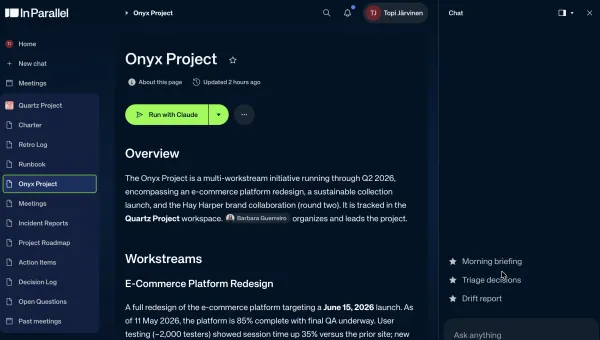
That’s exactly what an Intelligent Management System (IMS) is designed to provide, and what In Parallel is built to be.
Speed without structure is chaos. Structure without intelligence is drag.
In Parallel brings both together by acting as the workflow brain for programmes and portfolios.
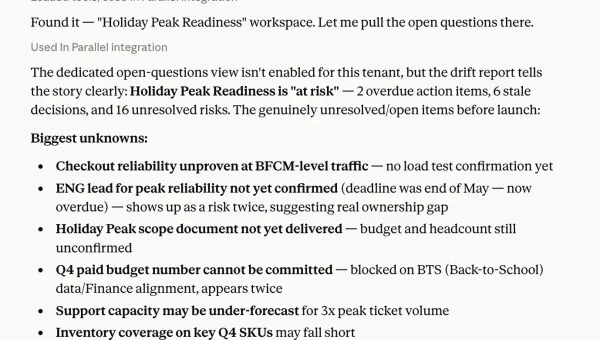
Capturing the signal automatically
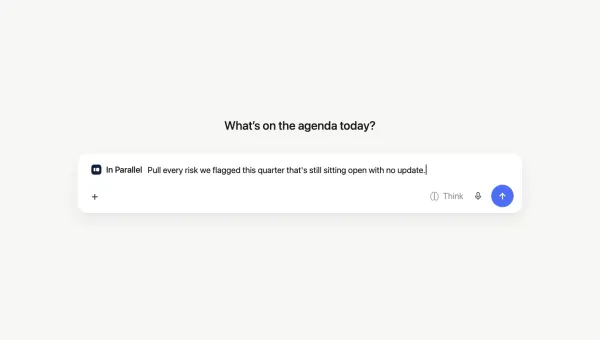
- Decisions, risks, and key events are pulled from tools, meetings, and artifacts into a shared programme model.
- AI-agent activity is captured alongside human work, so you see the whole system, not just the manual parts.
No more relying on perfect note-takers or status emails to understand what’s happening.
Linking workflows to real work
- Workflows aren’t static diagrams; they are live structures connected to tasks, owners, and timelines.
- When an insight emerges, from data, an AI model, or a human, it is turned into a concrete change in the workflow or in the backlog.
You’re never just “aware” that a handoff is broken; you’re changing the flow and tracking the impact.
Surfacing patterns and blockers
Because In Parallel sits above tools and teams, it can:
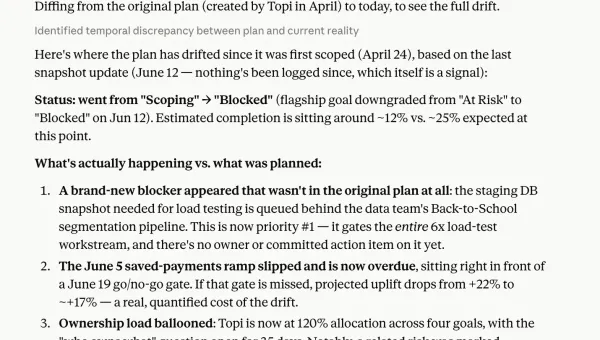
- Highlight recurring failure modes in workflows (e.g., decisions that stall, steps that always bounce back).
- Show where AI actually reduces effort, and where it just adds review overhead.
- Make risks visible in the context of the workflow, not as a separate spreadsheet.
Leaders see where to intervene in the flow, not just which team looks “behind.”
Keeping workflows front and center
Each cycle, the programme can see:
- Which workflows we’re actively improving
- Where AI has been introduced, and what it changed
- What we learned about bottlenecks, quality, and outcomes
In effect, In Parallel turns “designing AI-powered workflows” from a one-off transformation project into a weekly habit.
Turning a Big Idea into a Daily Advantage
McKinsey’s message is clear:
In a world where models, infrastructure, and tools are increasingly accessible, workflow advantage is what lasts. (McKinsey, AI-powered workflows)
But enterprise-level transformation is built from thousands of concrete moves at the team and programme level where:
- Workflows are visible
- AI is placed where it matters
- Learning is captured and reused
That’s what AI-powered workflows really are: flows that learn, adapt, and compound value over time.
When a programme can change how work moves, not just what tools people click, it creates a self-reinforcing system of progress. That system shows up as:
- Shorter cycle times
- Better decisions, made closer to the work
- Clearer risk and compliance posture
- Teams that feel supported by AI, not burdened by it
In Parallel is how you make that system real.
Not just “more AI projects” — but workflows that get smarter every week.
References
Get insights like this in your inbox
One email per week on execution intelligence, team coordination, and enterprise AI. No fluff.
By subscribing you agree to our Privacy Policy. Unsubscribe anytime.